
ResourcepacksJava
Attack Indicator
Java resource pack listed for Minecraft 1.20. Downloads from the MC Java Mods app on Android.
The attack indicator in white color shows when the enemy comes out of the state of invulnerability and you can also deal critical damage with a sword!
I don't know my version or loader
Open the Minecraft launcher and look at the profile you play on — it names both, like fabric-loader-1.21.4. The version also shows in the bottom-right corner of the game's main menu.
No loader in the profile name? Then it's plain Minecraft, and these mods won't run — you need Fabric or NeoForge installed first.

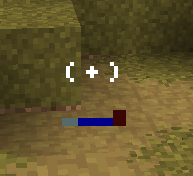
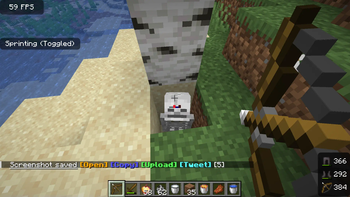
This texture pack will help you to deal damage with a sword (which shows with a white outline when you can hit again (at this time the creature's invulnerability decreases). Recommend Crosshair Tweaks for indicator opacity Crosshair Tweaks
Quick facts
- Edition: Minecraft Java
- File type: .zip (resource pack)
- Minecraft versions listed: 1.20.5, 1.20.6
- How to install: Download the .zip resource pack — do not unzip it. → Put it in .minecraft/resourcepacks. → Enable it in Options → Resource Packs.
- Where to get it: Opens on Modrinth — not every file is mirrored on our own servers.
Install steps are the general flow for this file type — How to install Minecraft Java resource packs walks through it step by step.
File checked by MCModsHub
- Downloads as AttackIndicator.zip
- Download size: 51 KB
- Download link checked 1 Nov 2026 — working
These come from our own check of the pack file, not from the source page.