
Visible & Outlined Waxed Blocks
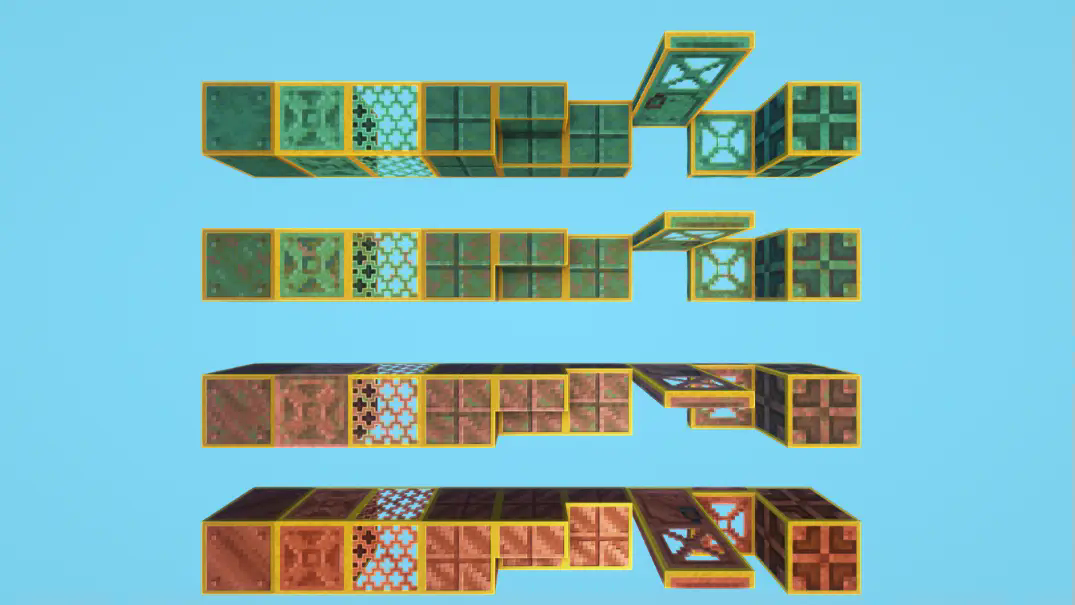
Add an outline to ALL the waxed copper blocks in order to distinguish the waxed from the non-waxed ones more easily.
⬇ Download on Modrinth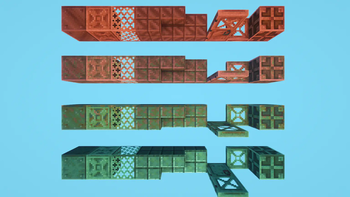
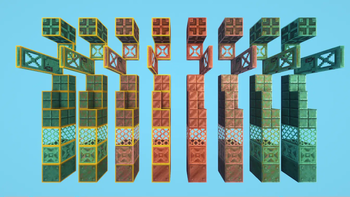
Indicate / Highlight which blocks are waxed with a clean yellow outline. No more need to use the f3 menu to distinguish the waxed blocks from the non-waxed ones!
Got an issue or a question? → Send me a message on Discord: enigmusse
By the way, I'm also on the Modrinth and CurseForge Discord servers.
How to use it?
- Copy it into the resource packs folder of your Minecraft instance.
- Open the escape menu, click Resource Packs, and select "Visible & Outlined Waxed Blocks"!
Compatibility Notice
The resource pack functions correctly despite the compatibility warning. Simply confirm by selecting Yes when prompted.
To suppress this notification completely, install the mod:
Without this solution, I'd need to create and upload a separate archive for nearly every minor Minecraft version — even though the textures remain unchanged — leading to unnecessary extra work.
- Edition: Minecraft Java
- File type: .zip (resource pack)
- Minecraft versions listed: 1.19.4, 1.20, 1.20.1
- How to install: Download the .zip resource pack — do not unzip it. → Put it in .minecraft/resourcepacks. → Enable it in Options → Resource Packs.
- Where to get it: Opens on Modrinth — not every file is mirrored on our own servers.
Install steps are the general flow for this file type — How to install Minecraft Java resource packs walks through it step by step.
- Downloads as Visible & Outlined Waxed Blocks .zip
- Download size: 112 KB
- Download link checked 31 Aug 2026 — working
These come from our own check of the pack file, not from the source page.