
Cubecraft Legacy Textures
I don't know my version or loader
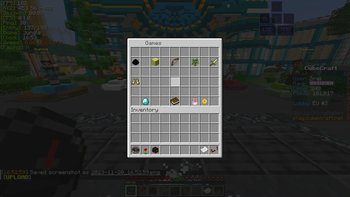
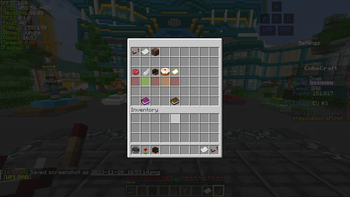
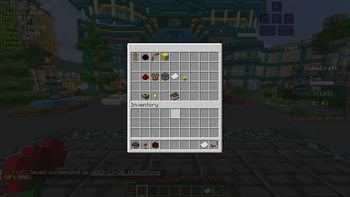
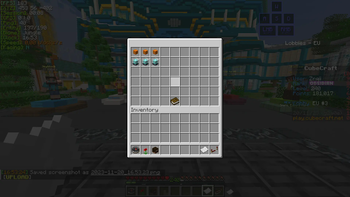
[IMPORTANT!] If you use the Server pack unlocker Dependencie, DO NOT disable server resourcepacks. SERVERS DO NOT like that. When you join Cubecraft drag the server pack to the bottom of the pack list instead, and place Cubecraft Legacy Textures at the top! This depends on what server pack overwriter mod you use!
Welcome to Cubecraft Legacy Textures! This nostalgic resource pack brings back the classic feel of Cubecraft's textures, reminiscent of the pre-1.19 era, while also introducing some refreshing new elements. Dive into a nostalgic journey as you relive the beloved textures that were prevalent before the 1.19 update.
Features:
- Restored Classic Textures: Immerse yourself in the nostalgia of Cubecraft with meticulously restored old textures to their former glory.
- New Additions: Discover new textures that seamlessly blend with the old, enhancing your Cubecraft experience.
- Two Versions: Choose between two distinct versions:
- New NPC Variant: For players who prefer the updated NPC designs.
- Old NPC Variant: Catering to those who cherish the classic NPC visuals. (Coming Soon)
- Improved GUIs: Removed the new ugly GUIs, ensuring a seamless and visually pleasing experience consistent with Cubecraft's classic interface.
Tutorial: setup:
- Download and install Fabric Loader
- Create a "mods" folder in your Minecraft folder.
- Download the Fabric API
- Download a "Mod" that can overwrite server resourcepacks.
- Download an Optifine Custom Item Textures (CIT) replacement mod.
- Download "ResourcefulBlocksSounds" to make Lucky blocks sound like sponge. (Optional).
- Put the Mods in the "Mods" Folder.
- Download "Cubecraft Legacy Textures" and put it in your resourcepack folder.
- Join Cubecraft and move the server resourcepack all the way to the bottom of the resourcepack list. And place "Cubecraft Legacy Textures at the top.
- Enjoy!
Usage Terms:
Download and Sharing: Please share this resource pack only through the provided download links to support ongoing developments and updates.
Modification Policy: Modifying the pack for private use is allowed. However, public redistribution of modified versions without explicit permission is prohibited.
Disclaimer: I am not affiliated with Ziax Ltd or its associated entities. This resource pack is a fan-made creation aiming to preserve the classic Cubecraft textures.
Community Interaction - Discord Server: Join our Discord server to engage with us and the community, share feedback, report bugs, suggest new features, and stay updated with the latest developments: https://discord.gg/x4QYmgmmam
Bug Reporting:
Encounter any visual irregularities or bugs with the textures? Let us know on our Discord server! Your feedback helps us improve and maintain the quality of Cubecraft Legacy Textures.
Language and Future Plans:
- Language Requirement: To ensure the best experience, set your Cubecraft language to English while using this resource pack. Additional language support will be added in future updates.
Work-in-Progress Section:
Reverting the NPC's to the old type
- Edition: Minecraft Java
- File type: .zip (resource pack)
- Minecraft versions listed: 1.21, 1.21.1
- How to install: Download the .zip resource pack — do not unzip it. → Put it in .minecraft/resourcepacks. → Enable it in Options → Resource Packs.
- Where to get it: Opens on Modrinth — not every file is mirrored on our own servers.
Install steps are the general flow for this file type — How to install Minecraft Java resource packs walks through it step by step.
- Downloads as Cubecraft Legacy Textures 1.0.7.zip
- Download size: 2.2 MB
- Download link checked 31 Aug 2026 — working
These come from our own check of the pack file, not from the source page.