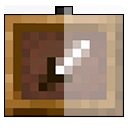


When creating scenery you may have used item frames, but they annoyed you a lot, as well as the author of this resourcepack. You can make item frames invisible with mods, datapacks, or command, but all of that takes a lot of time. You can simply install my resourcepack, which will make these frames invisible. Unlike other similar resourcepacks, this resourcepack is adapted to newer versions of minecraft, which added glowing frames.


Glow Item Frame

How do I download it?
Download the ZIP archive with the resourcepack and move it to the game folder .minecraft/resourcepacks Then go to Game Settings > Resource Sets > Select Resourcepack
- Edition: Minecraft Java
- File type: .zip (resource pack)
- Minecraft versions listed: 1.16, 1.16.1, 1.16.2
- How to install: Download the .zip resource pack — do not unzip it. → Put it in .minecraft/resourcepacks. → Enable it in Options → Resource Packs.
- Where to get it: Opens on Modrinth — not every file is mirrored on our own servers.
Install steps are the general flow for this file type — How to install Minecraft Java resource packs walks through it step by step.
- Downloads as AQ Invisible Item Frames.zip
- Download size: 14 KB
- Download link checked 31 Aug 2026 — working
These come from our own check of the pack file, not from the source page.