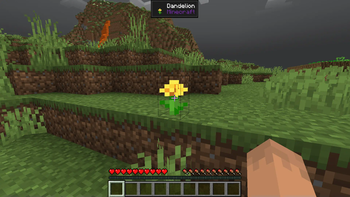
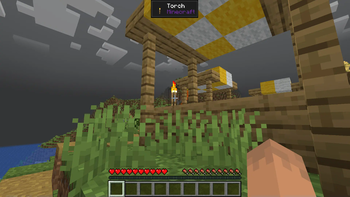
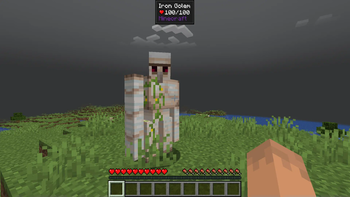
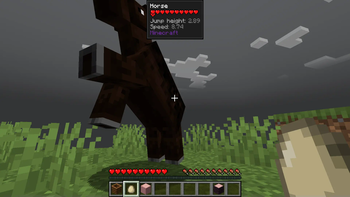
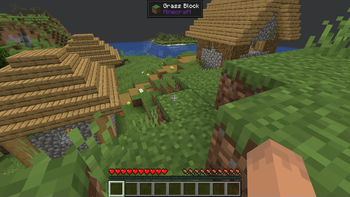
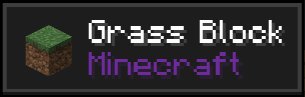
Jade is a mod by Snownee, this small pack only changes the Jade GUI to give it a more modern, smooth and minimalistic look. This is a darker version of my other packs: New Solid Light Theme for Jade and New Solid Dusk Theme for Jade
HOW TO INSTALL
Download the correct version for you. Copy the file into the Minecraft installation folder inside "resourcepacks". Enable it by selecting it from the resource packs menu on the game sttings. It should activate when you do this. However, if it does not, open Jade settings (maybe through Mod Menu) and enable it there manually in: Mod Settings/Appearance/Theme.
MY OTHER PACKS
- Edition: Minecraft Java
- File type: .zip (resource pack)
- Minecraft versions listed: 1.21, 1.21.1, 1.21.2
- How to install: Download the .zip resource pack — do not unzip it. → Put it in .minecraft/resourcepacks. → Enable it in Options → Resource Packs.
- Where to get it: Opens on Modrinth — not every file is mirrored on our own servers.
Install steps are the general flow for this file type — How to install Minecraft Java resource packs walks through it step by step.
- Downloads as New Solid Dark Theme for Jade v1.2.1 1.21-1.21.7.zip
- Download size: 12 KB
- Download link checked 31 Aug 2026 — working
These come from our own check of the pack file, not from the source page.