
Silvr's Weapon Enchantment Overlay
Java resource pack listed for Minecraft 1.21–26.x. Downloads from the MC Java Mods app on Android.
I don't know my version or loader


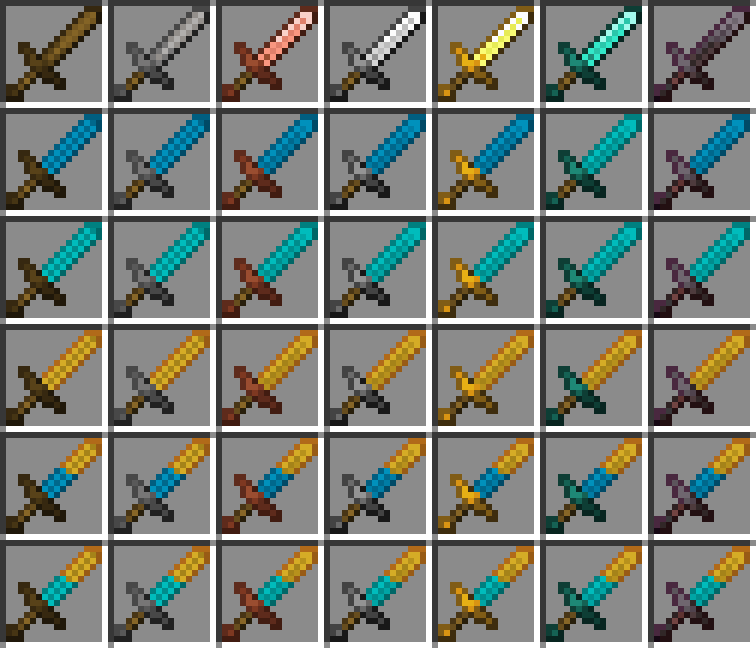
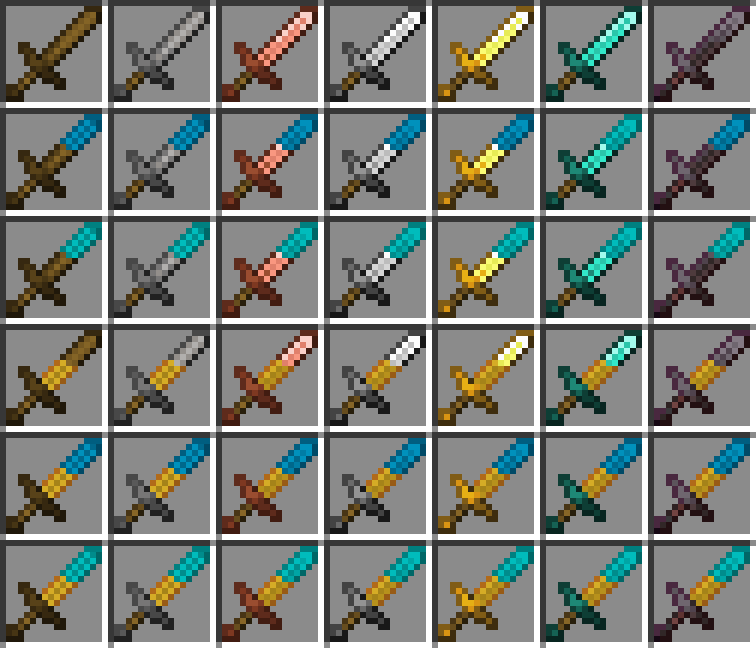
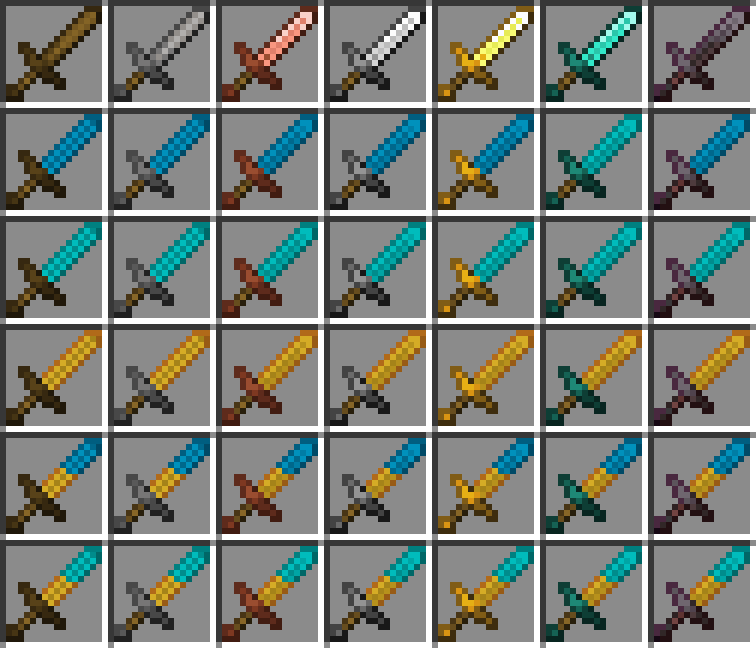
Shows melee weapon enchantments on the item:
Spears:
Blue - Knockback 1
Cyan - Knockback 2
Orange - Fire Aspect
Breeze Rod - Lunge
Maces:
White - Wind Burst (scales with level)
Cyan - Density
Purple - Breach
Blaze Rod - Fire Aspect

Sword:
Blue - Knockback 1
Cyan - Knockback 2
Orange - Fire Aspect
Why these enchantments?
Breach & Density - Mutually exclusive; breach swapping
Fire Aspect - Damage ticks from fire block knockback
Knockback - Extra knockback
Wind Burst & Lunge - Moves the user; Knocks entities away (WB)
All other enchants are straight upgrades
And slightly changes spears:

Feedback and support: discord - name:"silvrvr"
Pack variantsCurrently has three (3) alternate versions with slight changes from default pack, all work on their own with full functionality:
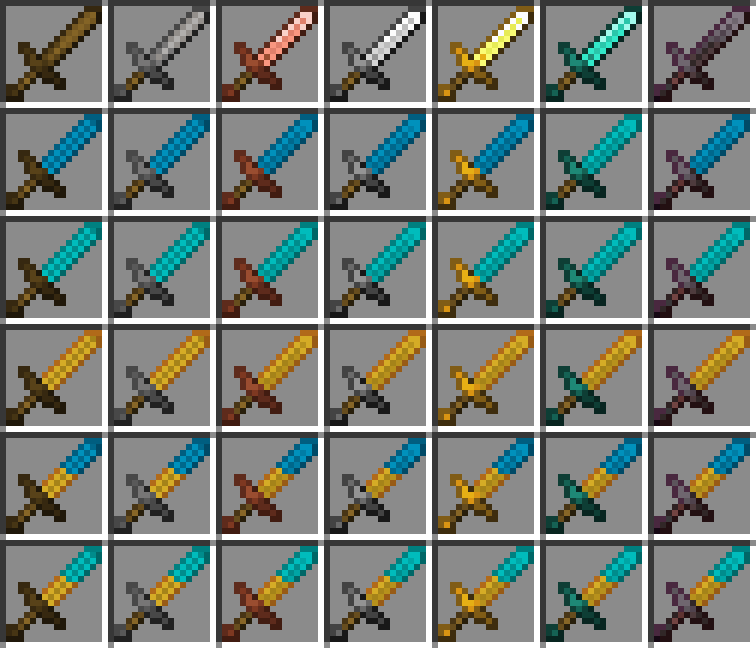
Whole: sword enchantments cover the entire blade instead of half: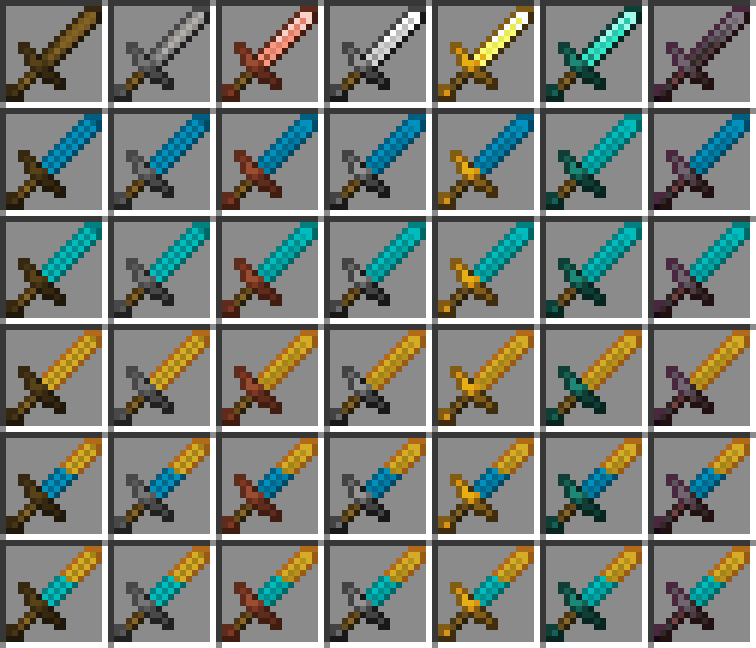
Swapped: knockback is at the tip, fire aspect near the guard: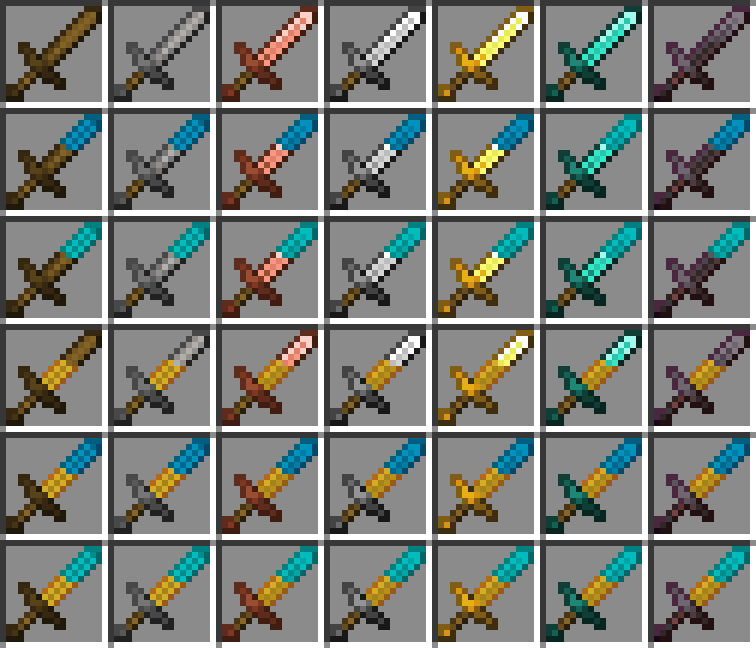
Swapped and Whole: combination of the two above:
- Edition: Minecraft Java
- File type: .zip (resource pack)
- Minecraft versions listed: 1.21.5, 1.21.6, 1.21.7
- How to install: Download the .zip resource pack — do not unzip it. → Put it in .minecraft/resourcepacks. → Enable it in Options → Resource Packs.
- Where to get it: Opens on Modrinth — not every file is mirrored on our own servers.
Install steps are the general flow for this file type — How to install Minecraft Java resource packs walks through it step by step.
- Downloads as Silvr's Weapon Enchant Overlay [SW].zip
- Download size: 254 KB
- Download link checked 12 Oct 2026 — working
These come from our own check of the pack file, not from the source page.