
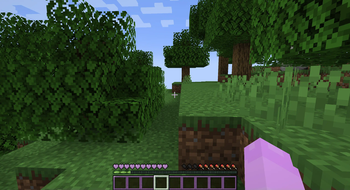
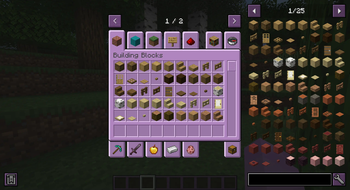
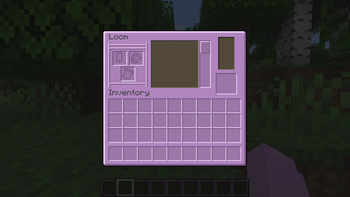
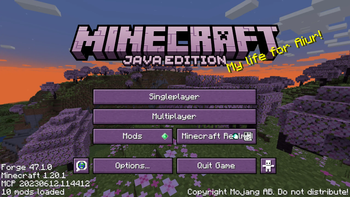
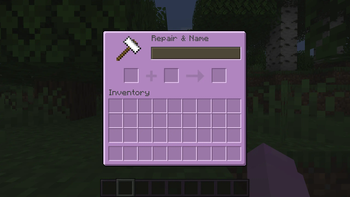
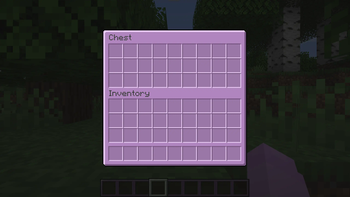
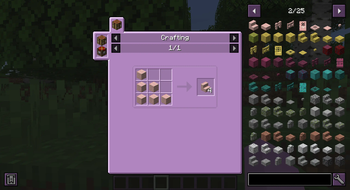
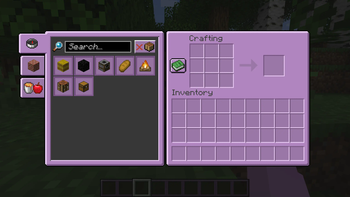
Purple Mode changes the default GUI to be purple while keeping the vanilla style. (along with some subtle color changes)
SOURCE
This pack is ONLY on Modrinth, anywhere else is not by me.
COMPATIBILITY
Currently, I only have Java Edition 1.20 to 1.20.1 available. I'm planning to work on older versions in the future, but for the time being those are the only 2 versions I have.
MOD SUPPORT
| Mod | 1.20-1.20.1 | |
|---|---|---|
| Capes | ✅ | |
| Doapi | ✅ | |
| Easy Piglins | ✅ | |
| Easy Anvils | ✅ | |
| Inventory Sorting | ✅ | |
| JER | ✅ | |
| JEI | ✅ | |
| Modmenu | ✅ | |
| Origins | ✅ | |
| Trash Slot | ✅ | |
| Vinery | ✅ | |
| Waystones | ✅ |
TERMS OF USE
You CAN use this in videos and streams, credit to this pack would be greatly appreciated if you do.
Do NOT upload this to any other site and/or claim this as your own.
Do NOT take and use the textures for your own project, or anything else that reuses the textures for your own purposes.
- Edition: Minecraft Java
- File type: .zip (resource pack)
- Minecraft versions listed: 1.20, 1.20.1
- How to install: Download the .zip resource pack — do not unzip it. → Put it in .minecraft/resourcepacks. → Enable it in Options → Resource Packs.
- Where to get it: Opens on Modrinth — not every file is mirrored on our own servers.
Install steps are the general flow for this file type — How to install Minecraft Java resource packs walks through it step by step.
- Downloads as 1.20 Purple Mode v1.4.zip
- Download size: 435 KB
- Download link checked 21 Sept 2026 — working
These come from our own check of the pack file, not from the source page.