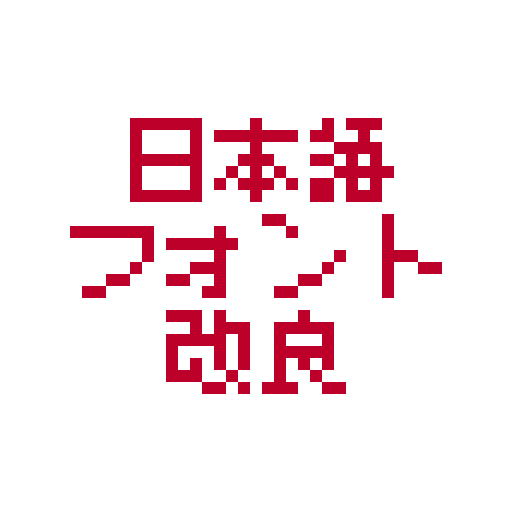
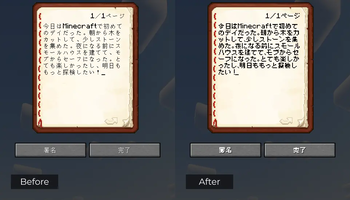
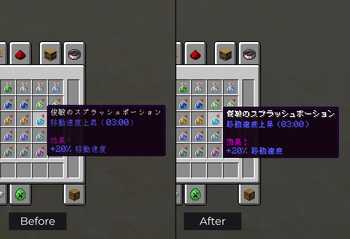
 This resource pack replaces the default Japanese font with a true pixel-style bitmap font. In the vanilla game, Japanese characters appear thin and non-pixelated, which does not reflect the authentic look.
Features
- Includes bitmap PNGs for:
- Kana (Hiragana: 87 characters, Katakana: 90 characters)
- Kanji (CJK: 6,356 characters)
- Latin Extended (15 characters)
- Miscellaneous Symbols (338 characters)
- Arrows (6 characters)
- Mathematical Symbols (37 characters)
- Technical Symbols (1 character)
- Block Elements (17 characters)
- Geometric Shapes (16 characters)
- General Symbols (15 characters)
- Based on the free-to-use Misaki Gothic 2 (美咲ゴシック第2) font
- Makes Japanese text in-game sharper, more authentic, and faithful to the classic pixel aesthetic
Quick facts
- Edition: Minecraft Java
- File type: .zip (resource pack)
- Minecraft versions listed: 1.21.6, 1.21.7, 1.21.8
- How to install: Download the .zip resource pack — do not unzip it. → Put it in .minecraft/resourcepacks. → Enable it in Options → Resource Packs.
- Where to get it: Opens on Modrinth — not every file is mirrored on our own servers.
Install steps are the general flow for this file type — How to install Minecraft Java resource packs walks through it step by step.
Verified by MCModsHub
- Downloads as Japanese Font Better.zip
- Download size: 1.7 MB
- Download link checked 31 Aug 2026 — working
These come from our own check of the pack file, not from the source page.