![Basalt GUI [DARK]](https://cdn.modrinth.com/data/BTQFOXPT/a59f8d01e6627f997513effac464a78f28d64b5e_96.webp)
![Basalt GUI [DARK] — screenshot 1](https://cdn.modrinth.com/data/BTQFOXPT/images/d190bc9b92c892e293547ab5080ce12ab26f4caa_350.webp)
![Basalt GUI [DARK] — screenshot 2](https://cdn.modrinth.com/data/BTQFOXPT/images/0bf6be1484c957bf0e912ef3b3d29b7a356d9efa_350.webp)
![Basalt GUI [DARK] — screenshot 3](https://cdn.modrinth.com/data/BTQFOXPT/images/db0018462301ec89237594cb8d4d2f4ce11900bc_350.webp)
![Basalt GUI [DARK] — screenshot 4](https://cdn.modrinth.com/data/BTQFOXPT/images/53afa79c96fbeaae87361864aad3fda1fa1c1f76_350.webp)
![Basalt GUI [DARK] — screenshot 5](https://cdn.modrinth.com/data/BTQFOXPT/images/a59f8d01e6627f997513effac464a78f28d64b5e.png)

Basalt GUI
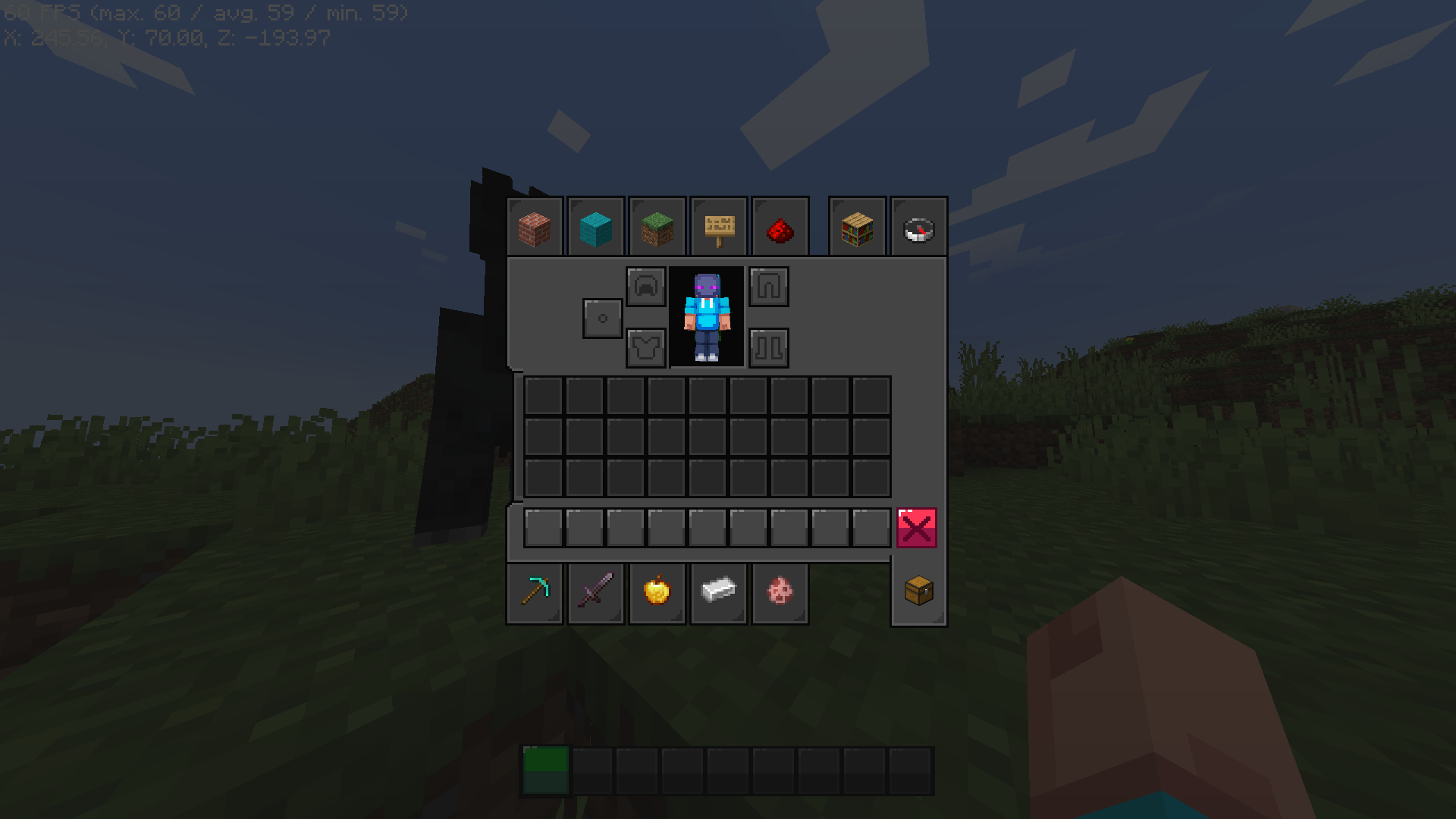
- Basalt GUI overhauls the dogwater, regular light mode.
- Includes changes for containers, HUD, buttons, etc.
- Hope you guys like it!
Compatible Mod[s] That Work (I'll maybe add some more)
Example:
Quick facts
- Edition: Minecraft Java
- File type: .zip (resource pack)
- Minecraft version listed: 1.21.4
- How to install: Download the .zip resource pack — do not unzip it. → Put it in .minecraft/resourcepacks. → Enable it in Options → Resource Packs.
- Where to get it: Opens on Modrinth — not every file is mirrored on our own servers.
Install steps are the general flow for this file type — How to install Minecraft Java resource packs walks through it step by step.
Verified by MCModsHub
- Downloads as Basalt GUI V1 [1.21.4].zip
- Download size: 1.1 MB
- Download link checked 22 Sept 2026 — working
These come from our own check of the pack file, not from the source page.