HomeJavaResourcepacksoSzoukaua's: Totem HUD overlays
oSzoukaua's: Totem HUD overlays
ResourcepacksJava

oSzoukaua's: Totem HUD overlays

by oSzoukaua · on Modrinth

This resource pack is made for Customization! it changed what the totem looks like when it is held, only for the player holding it, and allows for a…

Which Minecraft do you have?

Every version of the game needs its own build. Pick yours, then download — the wrong build installs fine and then does nothing in the game. This mod is built for Resource pack only.

⬇ Download for 1.21.9–1.21.10⬇ Download for 1.21.7–1.21.8⬇ Download for 1.21.6⬇ Download for 1.21.5⬇ Download for 1.21.4⬇ Download for 1.21–1.21.1⬇ Download for 1.20.5–1.20.6⬇ Download for 1.20.3–1.20.4⬇ Download for 1.20.2⬇ Download for 1.20–1.20.1⬇ Download for 1.19.4⬇ Download for 1.19.3⬇ Download for 1.19–1.19.2⬇ Download for 1.18–1.18.2⬇ Download for 1.17–1.17.1⬇ Download for 1.16.2–1.16.5
I don't know my version or loader
Open the Minecraft launcher and look at the profile you play on — it names both, like fabric-loader-1.21.4. The version also shows in the bottom-right corner of the game's main menu.
No loader in the profile name? Then it's plain Minecraft, and these mods won't run — you need Fabric or NeoForge installed first.
oSzoukaua's: Totem HUD overlays — screenshot 1oSzoukaua's: Totem HUD overlays — screenshot 2oSzoukaua's: Totem HUD overlays — screenshot 3oSzoukaua's: Totem HUD overlays — screenshot 4oSzoukaua's: Totem HUD overlays — screenshot 5oSzoukaua's: Totem HUD overlays — screenshot 6oSzoukaua's: Totem HUD overlays — screenshot 7oSzoukaua's: Totem HUD overlays — screenshot 8

Description:

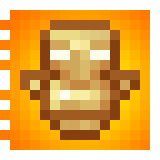
This resource pack is made for Customization! it changed what the totem looks like when it is held, only for the player holding it, and allows for a overlay on your HUD that can be changed to anything.


The totem of undying looks the same as the vanilla Totem (Mostly) while in containers, your hand(in third person), the floor, and in an item frame, but when it is held (either hand) and the player holding it is in first person, it appears as a texture that spans your whole screen, that can be customized to display any image youd like!


By Default the totem overlay will be a message telling you that you need to select an overlay texture, you can do this by unzipping the file and reading the instructions :)


Example/demonstration:


To change the texture, unzip the resource pack, go to assets > minecraft > textures > item

Inside the textures folder is a file named overlay.png, change the texture of the "overlay.png" file to change the overlay texture when holding the Totem in-game


Notes:

Client-Side: meaning that it needs to be installed on the Client


This resource pack contains some pre-made overlays, you are free to use them and modify them!


The screen overlay is attached to the hand holding the totem, meaning that it is subject the the hand sway of that hand in first person.


Other:


You are free to use this pack in modpacks/youtube videos and many other forms of sharing


License: ATTRIBUTION-NONCOMMERCIAL-SHAREALIKE 4.0 INTERNATIONAL


If you would like me to port this to any other Minecraft version, i would be more than happy to do so, please contact me! my details are below.


If you do find any issues/have any recommendations, suggestions for optimizations, improvements, or new features to add, feel free to contact me!


Discord @oSzoukaua E-Mail Contact.oSzoukaua+Modrinth@gmail.com


Support me over at Ko-Fi! <3 Check out my other links! <3


Ko-Fi: ko-fi.com/oszoukaua Other: linktr.ee/oSzoukaua


Technical details:

Quick facts

Install steps are the general flow for this file type — How to install Minecraft Java resource packs walks through it step by step.

Verified by MCModsHub

These come from our own check of the pack file, not from the source page.

Explore more