
Colored Block Borders
Adds brightened borders to common blocks used in artwork (concrete, concrete powder, wool, terracotta) to build with precision.
⬇ Download on Modrinth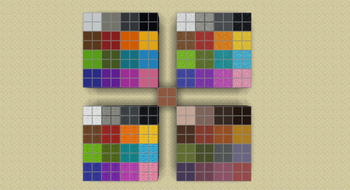
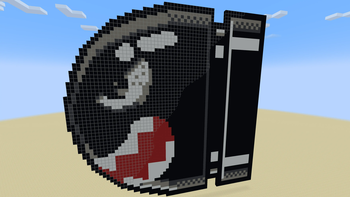
When doing large art projects, especially sprite art, the default textures of Minecraft make it difficult to distinguish between blocks. With black concrete especially, it is impossible to even see the block border you're mousing around. This resource pack edits the edges of all the textures to brighten up their borders, causing a grid effect when using multiple of these, and allowing the block highlight to always be visible.
- Edition: Minecraft Java
- File type: .zip (resource pack)
- Minecraft version listed: 1.20.4
- How to install: Download the .zip resource pack — do not unzip it. → Put it in .minecraft/resourcepacks. → Enable it in Options → Resource Packs.
- Where to get it: Opens on Modrinth — not every file is mirrored on our own servers.
Install steps are the general flow for this file type — How to install Minecraft Java resource packs walks through it step by step.
- Downloads as Colored Block Borders.zip
- Download size: 64 KB
- Download link checked 1 Sept 2026 — working
These come from our own check of the pack file, not from the source page.