
Cardboard redstone
Makes the redstone stupid but also kinda cool-looking. Surely you can't use it as your main redstone pack (because blocks are more detailed=laggier), but…
⬇ Download on Modrinth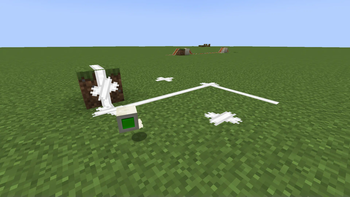
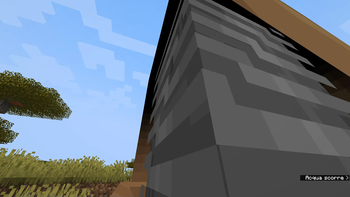
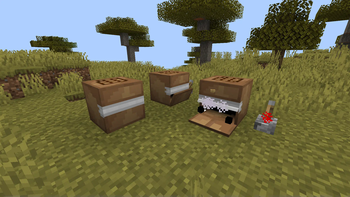
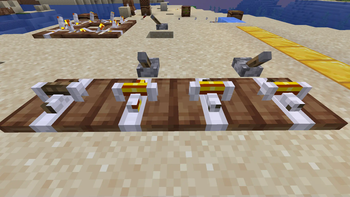
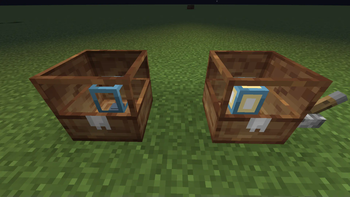
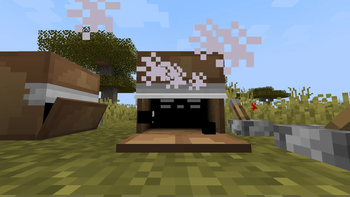
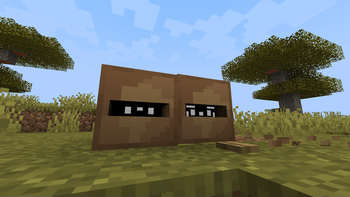
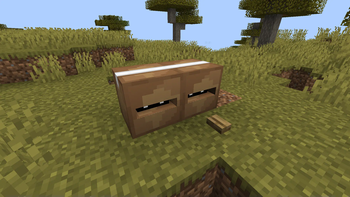
The first time I looked at the new crafter I thought "it looks like a box". I don't know why, but now here it is with some other redstone stuff, and looking at it now it doesn't look like a box.
I have nothing more to say, definitely it's unusable in big redstone world, unless you want to fry your PC (only the piston has like 5/6 more blocks in his model). But i made it not super detailed by using some special tricks while keeping a vanilla style.
All the blocks have images with all their blockstates in the gallery, but some textures are old because im lazy and i don't want to redo them.
After this update, you won't need anymore strange mods to see the redstone as white, wohooooo!!!!!!!!!!!!!!!!!
- Edition: Minecraft Java
- File type: .zip (resource pack)
- Minecraft versions listed: 1.17, 1.17.1, 1.18
- How to install: Download the .zip resource pack — do not unzip it. → Put it in .minecraft/resourcepacks. → Enable it in Options → Resource Packs.
- Where to get it: Opens on Modrinth — not every file is mirrored on our own servers.
Install steps are the general flow for this file type — How to install Minecraft Java resource packs walks through it step by step.
- Downloads as §b Cardboard redstone 1.2.zip
- Download size: 380 KB
- Download link checked 1 Sept 2026 — working
These come from our own check of the pack file, not from the source page.