
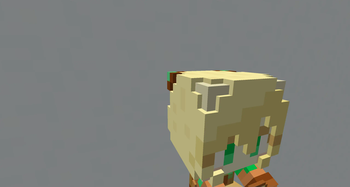
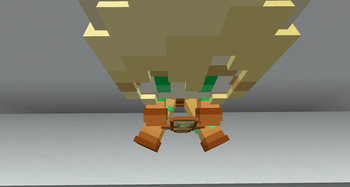
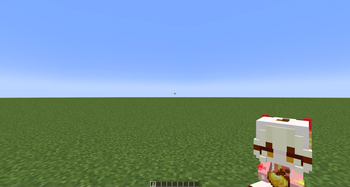
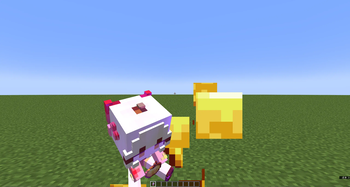
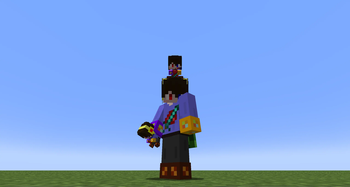
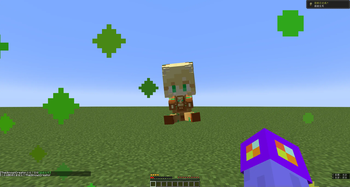
Heavily modified from 千虑智者's version.
You can customize any item into a sitting doll holding an item. This requires some basic Minecraft resource pack skills. Should work for most of the Minecraft versions.
Highlights
- Both the item and the doll is 3D (also for the 2nd layer of the skin).
- Fully customizable as long as you know how to make resource packs. You can even use this model on a block item. You can also use Blockbench to change the doll's pos or add some decorations.
Item textures should be 16x or lower (best 16x). Skins should be 64x or lower (best 64x).
Steps to customize:
- Open the resource pack .zip file (or decompress it if you can't directly modify files in a .zip).
- Go to "assets\minecraft\textures\item\doll" and put a skin file in .png here (assume it's named as newton.png).
- (If you don't want to change the item's texture (so it stays vanilla or from another resource pack you enabled), skip this step.)
Go to "assets\minecraft\textures\item" and put the desired item texture in .png here (assume it's named as apple.png). - Go to "assets\minecraft\models\item". If the skin you just put is classic (arm with 4 pixels), copy classic.json and paste it here. If the skin is slim (arm with 3 pixels), copy slim.json. Rename the pasted file to the item whose model you want to change. For example, you want to change "minecraft:apple", then you rename the file to apple.json.
- Open the .json file, look for the following ("doll_slim": "item/doll/slim" if your skin is slim):
"textures": {
  "doll_wide": "item/doll/classic",
  "particle": "item/whatever",
  "item": "item/whatever"
}
For "doll_wide" or "doll_slim": Change "item/doll/classic" into the file path of your skin (without ".png").
For "particle": This controls such as the particle when you eat this item. You can change "item/whatever" into the texture file path of this item (without ".png").
For "item": This is the item texture the doll holds. Change "item/whatever" into the texture file path of this item (without ".png").

You can repeat steps 2~5 to modify the models of several items. You can then put the resource pack into the resource pack folder and enable it.
- Edition: Minecraft Java
- File type: .zip (resource pack)
- Minecraft versions listed: 1.20.5, 1.20.6, 1.21
- How to install: Download the .zip resource pack — do not unzip it. → Put it in .minecraft/resourcepacks. → Enable it in Options → Resource Packs.
- Where to get it: Opens on Modrinth — not every file is mirrored on our own servers.
Install steps are the general flow for this file type — How to install Minecraft Java resource packs walks through it step by step.
- Downloads as 3D Doll Item.zip
- Download size: 53 KB
- Download link checked 5 Sept 2026 — working
These come from our own check of the pack file, not from the source page.