
ResourcepacksJava
Potion Icons Reworked
Potion Effects+ adds bright, custom potion and mob effect icons for a clear, vanilla-style experience. Simple, colorful, and easy to recognize.
⬇ Download on Modrinth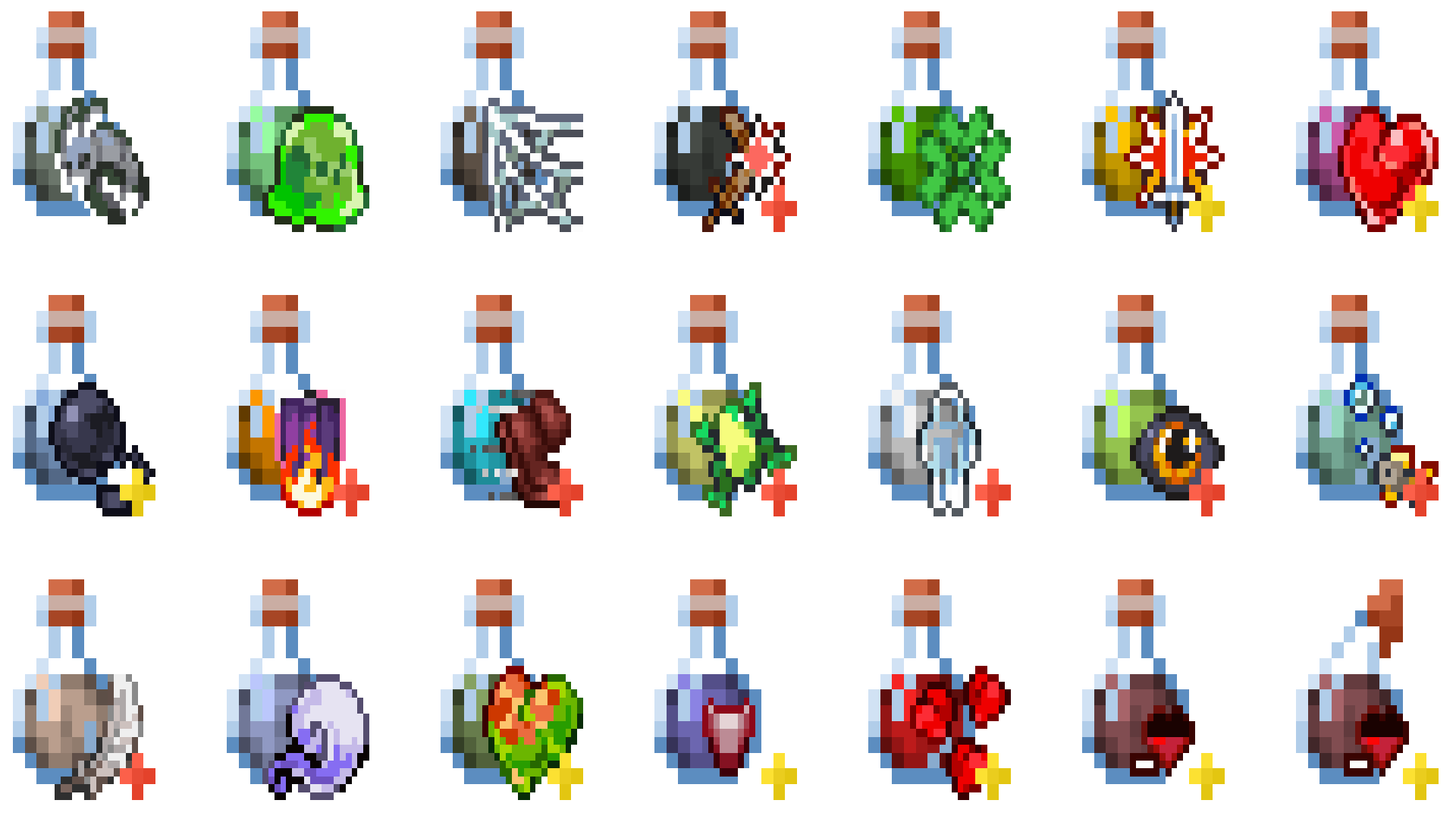
🧪 Potion Icons Reworked
Potion Icons Reworked enhances Minecraft’s potion and mob effect visuals with clean, colorful, and easy-to-recognize icons.
Each potion gets a distinct, bright design that makes identifying effects simple — perfect for both PvP and survival players.
This resource pack keeps a vanilla-like style while improving clarity, brightness, and gameplay readability.
Whether you're brewing, fighting, or exploring, Potion Effects+ helps you instantly spot every effect without breaking Minecraft’s classic look.
✨ Features
- 🌈 Custom potion and mob effect icons
- 💡 Bright, minimal, and easy to read
- ⚙️ Vanilla-like design for seamless integration
- 🧙 Perfect for PvP, survival, and casual gameplay
Quick facts
- Edition: Minecraft Java
- File type: .zip (resource pack)
- Minecraft versions listed: 1.21.5-pre1, 1.21.5-pre2, 1.21.5-pre3
- How to install: Download the .zip resource pack — do not unzip it. → Put it in .minecraft/resourcepacks. → Enable it in Options → Resource Packs.
- Where to get it: Opens on Modrinth — not every file is mirrored on our own servers.
Install steps are the general flow for this file type — How to install Minecraft Java resource packs walks through it step by step.
Verified by MCModsHub
- Downloads as Potion Effects+.zip
- Download size: 157 KB
- Download link checked 26 Sept 2026 — working
These come from our own check of the pack file, not from the source page.