
ResourcepacksJava
Painted Realms
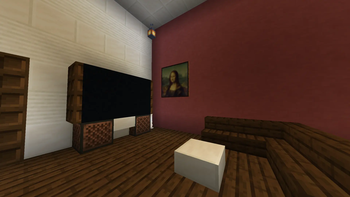
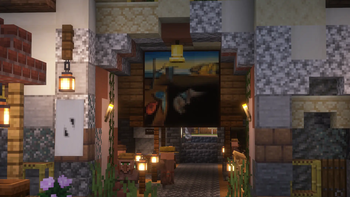
This pack replaces some in-game paintings with iconic, historical, and artistic masterpieces, bringing a touch of real-world art into your Minecraft…
⬇ Download on Modrinth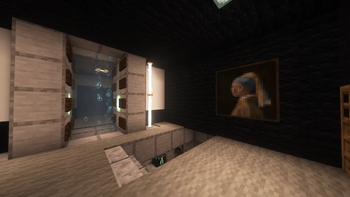

🎨 Craft Gallery - Resource Pack
🖼️ Description
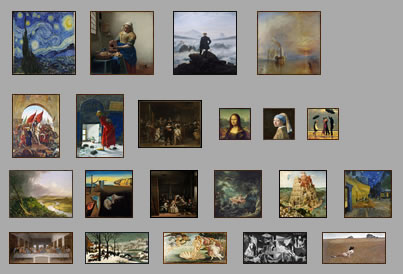
Craft Gallery replaces some in-game paintings with iconic, historical, and artistic masterpieces, bringing a touch of real-world art into your Minecraft world.
All artworks are carefully selected to enhance your creative and aesthetic experience.
⚙️ Setup
- Open Minecraft and go to Settings → Resource Packs.
- Drag and drop the Craft Gallery pack into the folder.
- Activate the pack and enjoy your new collection of classic paintings in-game.
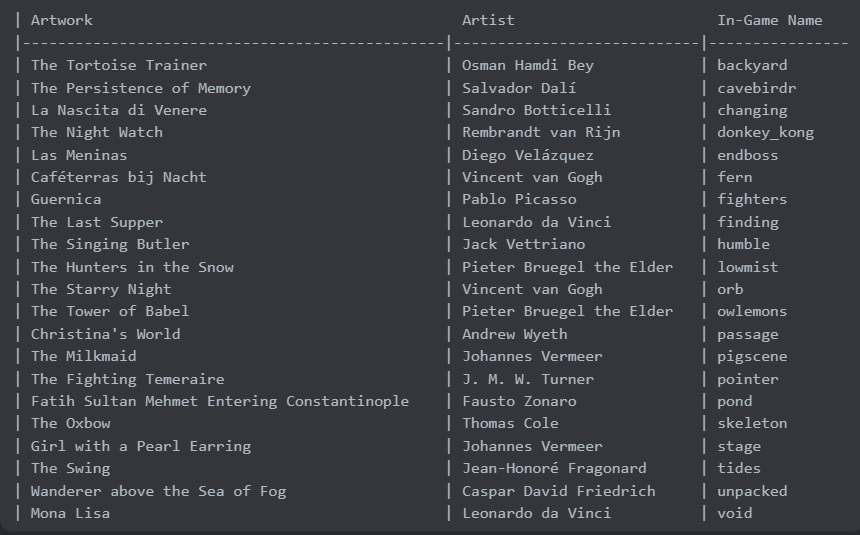
🧩 Used Works / In-Game Names
Quick facts
- Edition: Minecraft Java
- File type: .zip (resource pack)
- Minecraft versions listed: 1.20.5, 1.20.6, 24w18a
- How to install: Download the .zip resource pack — do not unzip it. → Put it in .minecraft/resourcepacks. → Enable it in Options → Resource Packs.
- Where to get it: Opens on Modrinth — not every file is mirrored on our own servers.
Install steps are the general flow for this file type — How to install Minecraft Java resource packs walks through it step by step.
Verified by MCModsHub
- Downloads as Painted Realms.zip
- Download size: 273 KB
- Download link checked 5 Sept 2026 — working
These come from our own check of the pack file, not from the source page.