
ResourcepacksJava
Alt-Swords Classic
Java resource pack listed for Minecraft 1.7–1.13. Downloads from the MC Java Mods app on Android.
⬇ Download on Modrinth


Description
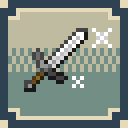
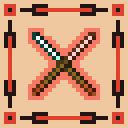
This pack adds alternative sword textures to version below "Texture Update".
Installing
The resource pack must be placed in the resourcepacks folder in the .minecraft directory
Default:
- Windows: C:\Users\%USERNAME%\AppData\Roaming\.minecraft\resourcepacks\
- Linux: ~/.minecraft/resourcepacks
Next, in Minecraft, go to [Settings] -> [Resource Packs] -> Select the desired pack -> [Done]
Requirements
- Minecraft version above 1.7, but below 1.13
Feedback
You can contact us via email
Finance/referal support


TGjiLho2eUMRAMPf6PUZs16EF2cvphnv8d

1dvL4mQf7cMmXhLc3A2tiyymVDF19TJnV
My (our) projects




Quick facts
- Edition: Minecraft Java
- File type: .zip (resource pack)
- Minecraft versions listed: 1.7.2, 1.7.3, 1.7.4
- How to install: Download the .zip resource pack — do not unzip it. → Put it in .minecraft/resourcepacks. → Enable it in Options → Resource Packs.
- Where to get it: Opens on Modrinth — not every file is mirrored on our own servers.
Install steps are the general flow for this file type — How to install Minecraft Java resource packs walks through it step by step.
File checked by MCModsHub
- Downloads as Alt-Swords-Classic.zip
- Download size: 4 KB
- Download link checked 6 Nov 2026 — working
These come from our own check of the pack file, not from the source page.