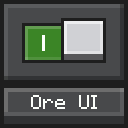
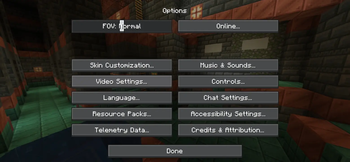
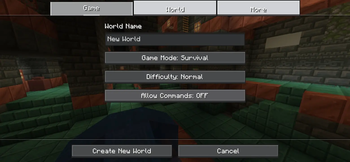
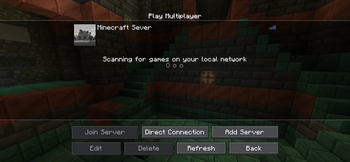
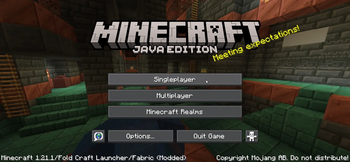
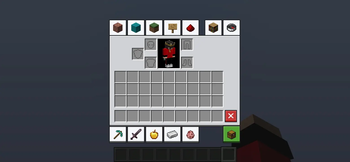
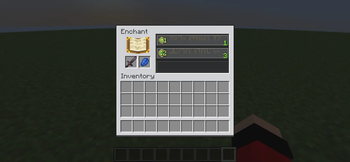
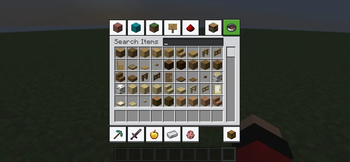
OreUI for Java Edition allows you to experience a modern user interface similar to Minecraft Bedrock Edition through a resource pack. Unlike the original OreUI, OreUI for Java Edition has applied the OreUI style to more interfaces, such as the inventory and workstations, ensuring a seamless and non-intrusive look.
OreUI for Java Edition mimics the user interface of Minecraft Bedrock Edition, making you feel as if you are playing Minecraft Bedrock. Different button states are all represented with corresponding OreUI styles, and even interfaces that MOJANG did not originally design have been given the OreUI treatment. Due to differences in UI logic between Minecraft Java Edition and Minecraft Bedrock Edition, I am unable to replicate 100% of OreUI's animation effects in Minecraft Java Edition.
Thank you for downloading, and we welcome your feedback. I will continue to improve it.
My Email address: 3429571198@qq.com
- Edition: Minecraft Java
- File type: .zip (resource pack)
- Minecraft versions listed: 1.20.2, 1.20.3, 1.20.4
- How to install: Download the .zip resource pack — do not unzip it. → Put it in .minecraft/resourcepacks. → Enable it in Options → Resource Packs.
- Where to get it: Opens on Modrinth — not every file is mirrored on our own servers.
Install steps are the general flow for this file type — How to install Minecraft Java resource packs walks through it step by step.
- Downloads as OreUI for Java Edition 1.20.2-1.21.11.zip
- Download size: 130 KB
- Download link checked 6 Sept 2026 — working
These come from our own check of the pack file, not from the source page.