
Fractures 3D - Structured
I don't know my version or loader
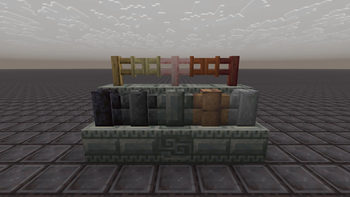
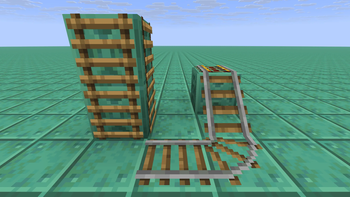
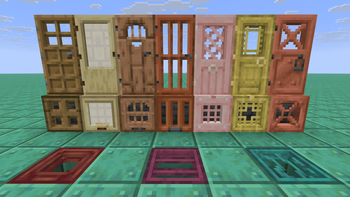
Minecraft 3D Resource Pack that tweaks Fences, Walls, Doors, Block Items & more!
An additional variant pack "Fractures 3Dx - Structured" is available as well, which displays items in 3D without 2D icons. To download Structured 3Dx, navigate to versions, select the desired version, and download the "Fractures 3Dx - Structured.zip" file located at the bottom of the page.
To use the Texture Pack move the zip file to the Minecraft Resource Pack folder (User > AppData > Roaming > .minecraft > resourcepacks), right click the zip file, and select "Extract All". The Texture Pack should now show up in Minecraft!
(you can also locate the folder by going to Resource Packs in the Minecraft Options and selecting the "Open Pack Folder" Button on the bottom left of the Screen, where you can then Copy/Cut & Paste the file)
Note that this Pack only works for Minecraft: Java Edition
ALL RIGHTS RESERVED
If you'd like to use my assets in a project of yours, feel free to message me on Discord! (Rosyfia)
- Edition: Minecraft Java
- File type: .zip (resource pack)
- Minecraft versions listed: 1.20.2, 26.1.2
- How to install: Download the .zip resource pack — do not unzip it. → Put it in .minecraft/resourcepacks. → Enable it in Options → Resource Packs.
- Where to get it: Opens on Modrinth — not every file is mirrored on our own servers.
Install steps are the general flow for this file type — How to install Minecraft Java resource packs walks through it step by step.
- Downloads as Fractures 3Dx - Structured.zip
- Download size: 724 KB
- Download link checked 6 Sept 2026 — working
These come from our own check of the pack file, not from the source page.