Windows Pack
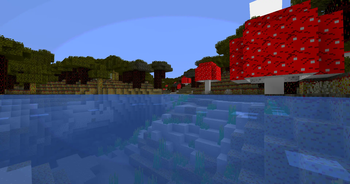
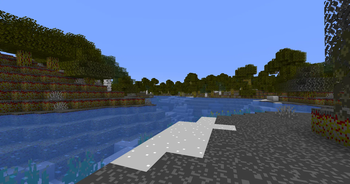
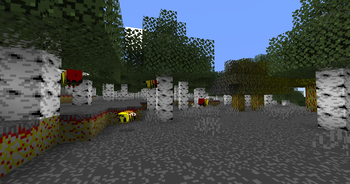
My Minecraft texture pack is designed around the unique constraint of using a 16-color Windows palette. While the result may not always be the most visually refined, the challenge of working within this limited palette allows for a distinct, retro aesthetic. Each texture in the game from blocks to items has been meticulously created using only these 16 colors:
Palette 16x Windows :
- #000000 (Black)
- #7e7e7e (Dark Gray)
- #bebebe (Light Gray)
- #ffffff (White)
- #7e0000 (Dark Red)
- #fe0000 (Bright Red)
- #047e00 (Dark Green)
- #06ff04 (Bright Green)
- #7e7e00 (Dark Yellow)
- #ffff04 (Bright Yellow)
- #00007e (Dark Blue)
- #0000ff (Bright Blue)
- #7e007e (Dark Magenta)
- #fe00ff (Bright Magenta)
- #047e7e (Dark Cyan)
- #06ffff (Bright Cyan)
This limitation creates a pixel-art style that feels nostalgic and challenging, appealing to those who appreciate creative boundaries in game design.
Quick facts
- Edition: Minecraft Java
- File type: .zip (resource pack)
- Minecraft versions listed: 1.21, 1.21.1
- How to install: Download the .zip resource pack — do not unzip it. → Put it in .minecraft/resourcepacks. → Enable it in Options → Resource Packs.
- Where to get it: Opens on Modrinth — not every file is mirrored on our own servers.
Install steps are the general flow for this file type — How to install Minecraft Java resource packs walks through it step by step.
Verified by MCModsHub
- Downloads as Windows Pack.zip
- Download size: 1.9 MB
- Download link checked 6 Sept 2026 — working
These come from our own check of the pack file, not from the source page.