
TubNet Tourneys Public Resource Pack
I don't know my version or loader
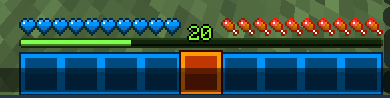
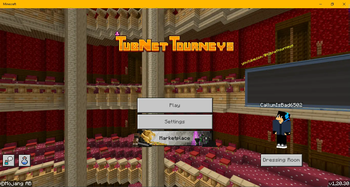
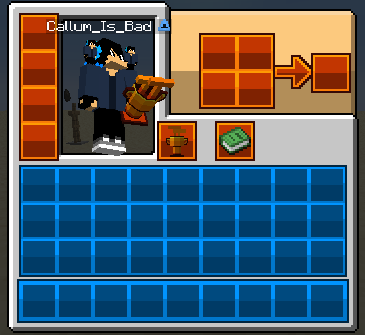
TubNet Tourneys is discontinued, this resource pack will no longer be updated unless the project restarts
Thank You for supporting us!
- TotallyNoCallum
About
TubNet Tourneys Pack usable in TubNet and Vanilla Minecraft!
Supported Languages:
English (US)
English (UK) [Bedrock only]
Custom Items List (Java Only for now)
Usage: /give [player_name] minecraft:coal{CustomModelData:1}.
minecraft:coal{CustomModelData:1} - Tourneys Cup 3D Model
TubNet Tourneys Socials
Twitter, Twitch, YouTube Channel
How to Install / Use
Java Edition:
Put the pack zip/files in %appdata/.minecraft/resourcepacks/.
To use this Pack in TubNet, use this mod.
Bedrock Edition:
Option A: Download the mcpack file and open it, Minecraft should open and import the pack for you.
Option B: Manual Import
Step 1: download the zip file.
Step 2: Go to this location:
Windows 10/11: %localappdata%\Packages\Microsoft.MinecraftUWP_8wekyb3d8bbwe\LocalState\games\com.mojang\resource_packs
Android: Minecraft/games/com.mojang/resource_packs/
IOS: On My iPhone/Minecraft/games/com.mojang/resource_packs/
Step 3: unzip the files and put them in the resource packs folder.
Step 4: Open Minecraft and pray you've done it correctly.
GeyserMC Server(s):
Step 1: Insert the pack into server.properties like you normally would on a normal java server.
Step 2: Download the Bedrock mcpack file and put it in plugins/geyser/packs/ (packs/ for standalone geyser servers)
Step 3: Restart your server if its running
Known Issues
[BR] - The Controller help text may disappear when a controller is connected to the game, theres nothing I can do about this :(
Notes
I wasn't able to import the GUI textures in bedrock, because of how bedrock guis works :(
I (TotallyNoCallum) is the one who created these Resource Packs, don't accuse me of stealing it from TubNet Tourneys somehow
- Edition: Minecraft Java
- File type: .zip (resource pack)
- Minecraft versions listed: 1.18.2, 1.20, 1.20.1
- How to install: Download the .zip resource pack — do not unzip it. → Put it in .minecraft/resourcepacks. → Enable it in Options → Resource Packs.
- Where to get it: Opens on Modrinth — not every file is mirrored on our own servers.
Install steps are the general flow for this file type — How to install Minecraft Java resource packs walks through it step by step.
- Downloads as TubNet_Tourneys_Public_Java_V2.zip
- Download size: 5.0 MB
- Download link checked 6 Sept 2026 — working
These come from our own check of the pack file, not from the source page.