

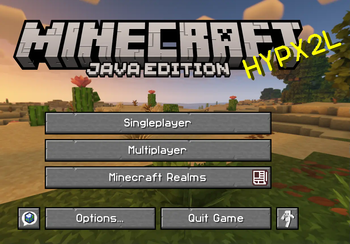
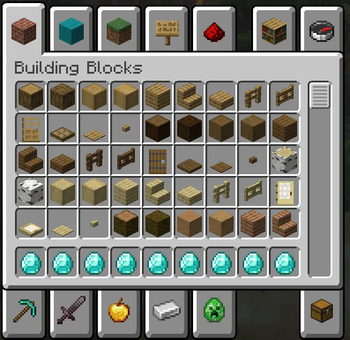
A minimalist user interface (UI) design for Minecraft is displayed. The hotbar is streamlined and positioned at the bottom center of the screen, featuring only the item icons and small, unobtrusive numbers for quantity. The icons themselves are modern, flat, and vector-like, representing familiar Minecraft items like a pickaxe, sword, and building blocks with clean lines and a limited color palette. Above the hotbar, a health bar and hunger bar are represented as thin, clean progress bars with subtle, modern icons for hearts and chicken legs, respectively. The background is a simplified, stylized Minecraft landscape with soft, muted colors and minimal detail, ensuring it doesn't distract from the UI elements. The inventory screen is open and overlaid on the landscape, presenting a clean, simple grid layout with thin, dark gray borders for each slot. Item icons within the inventory are also rendered in the same modern, flat style. The overall design is cohesive and easy to read, prioritizing clarity and a non-intrusive aesthetic.
- Edition: Minecraft Java
- File type: .zip (resource pack)
- Minecraft versions listed: 1.21, 1.21.1, 1.21.2
- How to install: Download the .zip resource pack — do not unzip it. → Put it in .minecraft/resourcepacks. → Enable it in Options → Resource Packs.
- Where to get it: Opens on Modrinth — not every file is mirrored on our own servers.
Install steps are the general flow for this file type — How to install Minecraft Java resource packs walks through it step by step.
- Downloads as MCUI (2).zip
- Download size: 9.9 MB
- Download link checked 6 Sept 2026 — working
These come from our own check of the pack file, not from the source page.