

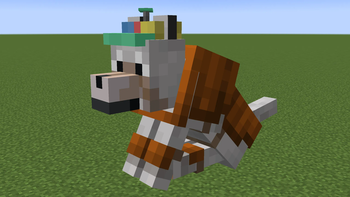
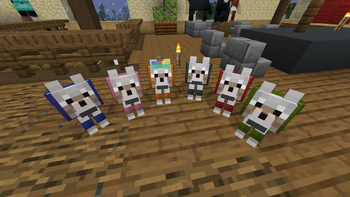


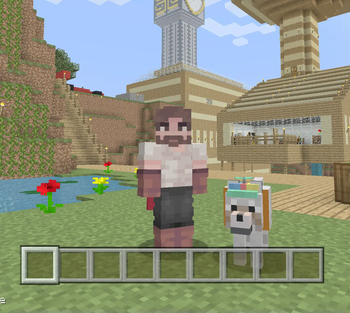
Hello everyone, I'm Zaroshii, and welcome back to my minecraft series. Today I have obliterated dingle into a bunch of bits and packaged him into a resource pack for you all to use.
🐕 Dingle Backstory
Dingle is the name of a dog in my let's play world on Youtube. Originally a dog that I tamed in a 1-off video that turned into a channel icon.
I believe that the name was originated from quandale jefferson dingle, I could be wrong, It has been months.
Either way the decision to make him have a propeller hat was after Katzooie made a sketch of Dingle.

After vibing with the idea of him being a silly little guy, I made the hat in game

At this point Dingle is such a staple of the channel and is so iconic that it would be unfair not to let you all play with him. Honestly honored that something like this can come out of what i've created.
Thank you all so much
I also added a variant of wolf armor without the helmet to show off Dingle's Beauty
- I believe I got the idea for the full color armor from Colourful Wolf Armour
- wanting me to remember things is a crazy expectation
- you can also always remove it if you like the vanilla armor

🔧 THIS RESOURCE PACK REQUIRES OPTIFINE / EMF + ETF
The Dingle pack requires optifine's Custom Entity Model [CEM] features to function. Personally I use both
these two mods work on fabric and port the features of optifine CEM
⚙️ Changing the name to your dog's name
Step 1: open the resource pack
Step 2: navigate to assets/minecraft/optifine/random/entity/wolf
Step 3: open wolf.properties
Step 4: change "name.1=Dingle" to "name.1=(whatever inferior name here)"
Step 5: save the file and reload the pack in minecraft
- Edition: Minecraft Java
- File type: .zip (resource pack)
- Minecraft version listed: 1.21.4
- How to install: Download the .zip resource pack — do not unzip it. → Put it in .minecraft/resourcepacks. → Enable it in Options → Resource Packs.
- Where to get it: Opens on Modrinth — not every file is mirrored on our own servers.
Install steps are the general flow for this file type — How to install Minecraft Java resource packs walks through it step by step.
- Downloads as Dingle Hat - 1.21.4.zip
- Download size: 52 KB
- Download link checked 7 Sept 2026 — working
These come from our own check of the pack file, not from the source page.