

The pack is both a resource pack and a data pack
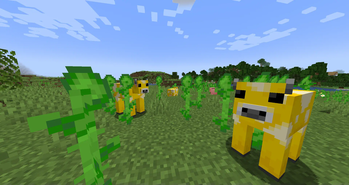
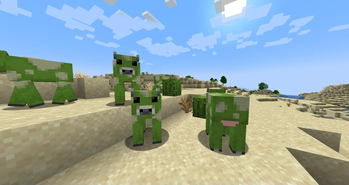
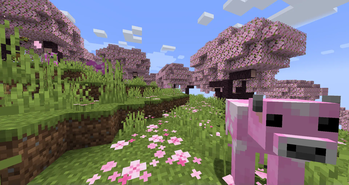
This pack adds 16 colors of Mooblooms to some biomes. Starting with version 1.21.5, the resource pack runs entirely on vanilla using a datapack. To install, drop the pack into the resourcepacks folder and datapacks folder of your world!
Where to find
- Green: Desert
- Pink & Magenta: Cherry Grove & Flower Forest
- Yellow: Sunflower Plains & Flower Forest
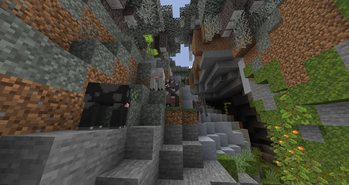
- Black, Gray, Lightgray & Brown: Pale Garden
- All the rest can be found in Flower Forest
Future plans
- Compatibility with Entity Model Features for a flower texture on top of the moobloom
Terms of use
You may modify Moobloom Update pack for your own use, but not distribute it. You are still free to create add-ons for Moobloom Update pack, as long as you do not use the original original files and textures. Don't re-upload any copy of Moobloom Update pack.
If you find any bug or have any other issues, please let me know
- Edition: Minecraft Java
- File type: .zip (resource pack)
- Minecraft versions listed: 25w05a, 25w06a, 25w07a
- How to install: Download the .zip resource pack — do not unzip it. → Put it in .minecraft/resourcepacks. → Enable it in Options → Resource Packs.
- Where to get it: Opens on Modrinth — not every file is mirrored on our own servers.
Install steps are the general flow for this file type — How to install Minecraft Java resource packs walks through it step by step.
- Downloads as Moobloom Pack.zip
- Download size: 54 KB
- Download link checked 7 Sept 2026 — working
These come from our own check of the pack file, not from the source page.