
Ceti Optimized Resource Pack
Java resource pack listed for Minecraft 1.20. Downloads from the MC Java Mods app on Android.
I don't know my version or loader
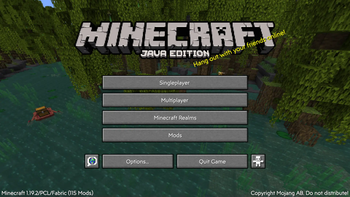
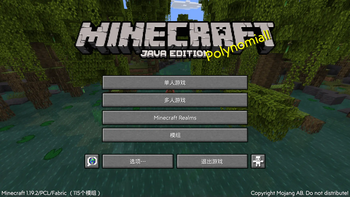
Ceti Optimized Resource Pack (CORPK)
What is this?
This is an original Minecraft Resource Pack made by Ceti, however, it only supports Chinese now, but we're already working on RPKs that include other languages, so you can look forward to it.

What does it contain?
This RPK added a new font called "Mirror Sans", it makes the game interface a little more aesthetically pleasing.
We're trying to add more content into the RPK, like material packs and such, if you have an idea, you can send us an email(mc@ceti.asia).
How to install?
- Make sure you have installed the mods in "Dependencies" block.(VERY IMPORTANT! If you don't you may get an error.)
- Download the RPK for your version.
- Place the downloaded .zip file in the “resourcepacks” folder under your Minecraft version folder.
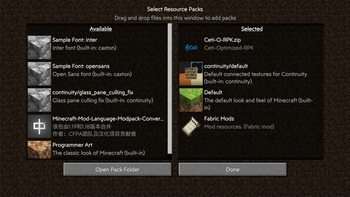
- Launch the game and click "Options", then click "Resource Packs", find "Ceti-O-RPK" from the left side, click it to get it to the right.
- Click "Done" and enjoy your game!
Q&A
Q: What version of Minecraft should be used?
A: This RPK is for version 1.19 and later. We may develop previous versions in the future, but we are more focused on newer versions.
Q: How can I report a bug?
A: We always welcome bug reports from players, and you can report bugs by sending us an email(bugs@ceti.asia), it helps us to make it better.
- Edition: Minecraft Java
- File type: .zip (resource pack)
- Minecraft versions listed: 1.20, 1.20.1, 1.20.2
- How to install: Download the .zip resource pack — do not unzip it. → Put it in .minecraft/resourcepacks. → Enable it in Options → Resource Packs.
- Where to get it: Opens on Modrinth — not every file is mirrored on our own servers.
Install steps are the general flow for this file type — How to install Minecraft Java resource packs walks through it step by step.
- Downloads as Ceti-Optimized-RPK-1.20.0.zip
- Download size: 5.0 MB
- Download link checked 8 Nov 2026 — working
These come from our own check of the pack file, not from the source page.