
To use this resource pack, OptiFine or Entity Texture Features+Entity Model Features are required.
Make the frog look like Package Frogport in Create Mod!
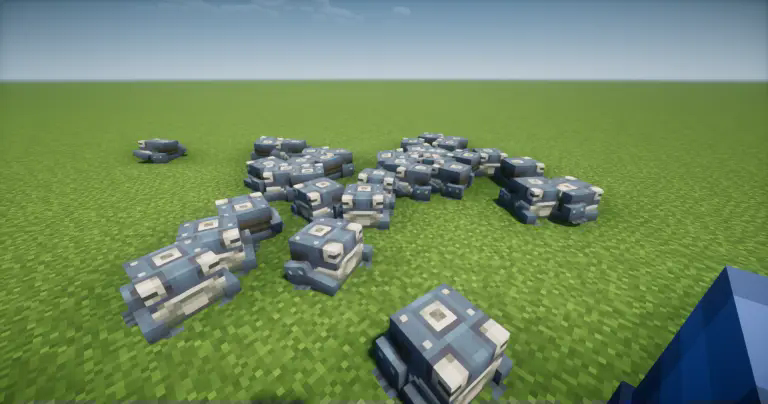 Name the frog “Frogport” to make it look and feel like a Package Frogport.
Support:
When you start Minecraft, a frog that has already been named may look like this.
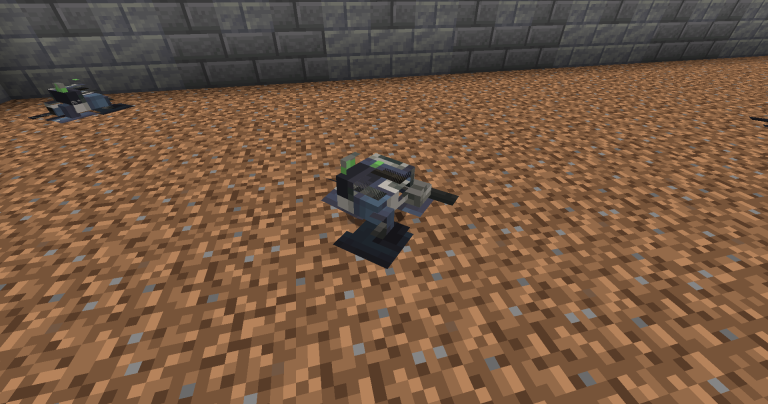
If this happens, you can fix it by reloading the resource pack (F3+T).
Quick facts
- Edition: Minecraft Java
- File type: .zip (resource pack)
- Minecraft version listed: 1.20.1
- How to install: Download the .zip resource pack — do not unzip it. → Put it in .minecraft/resourcepacks. → Enable it in Options → Resource Packs.
- Where to get it: Opens on Modrinth — not every file is mirrored on our own servers.
Install steps are the general flow for this file type — How to install Minecraft Java resource packs walks through it step by step.
Verified by MCModsHub
- Downloads as Create Living Frogport.zip
- Download size: 230 KB
- Download link checked 8 Sept 2026 — working
These come from our own check of the pack file, not from the source page.