
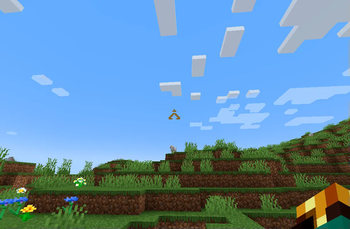
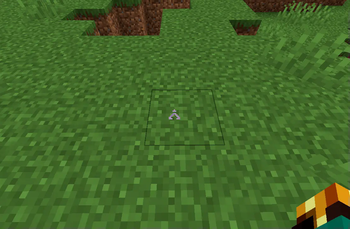

Do you like Stargate? Well, this ResourcePack will change Minecraft default crosshair and replace it with Earht Point of Origin (ᐰ). It's a non invasive yet cool addition to your game.
Installation
Use Modrinth App for a one click installation or follow the steps:
- Download the fille.
- Drop it inside your resourcepacks folder.
- Enable the Quark-less Glint inside your game.
- Enjoy!
It's me, hi
All my social media can be found here: Danymaddox.
And if you like to add more gold, follow me here on Modrinth and take a look, there's more comming soon.

Quick facts
- Edition: Minecraft Java
- File type: .zip (resource pack)
- Minecraft versions listed: 1.18.2, 1.19, 1.19.1
- How to install: Download the .zip resource pack — do not unzip it. → Put it in .minecraft/resourcepacks. → Enable it in Options → Resource Packs.
- Where to get it: Opens on Modrinth — not every file is mirrored on our own servers.
Install steps are the general flow for this file type — How to install Minecraft Java resource packs walks through it step by step.
Verified by MCModsHub
- Downloads as §6StargateCrosshair.zip
- Download size: 196 KB
- Download link checked 8 Sept 2026 — working
These come from our own check of the pack file, not from the source page.