
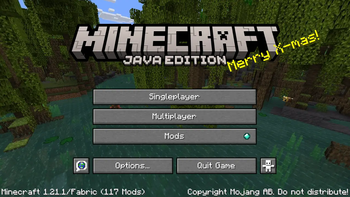
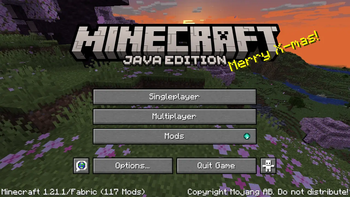
Update Jan 6, 2026
I completely forgot this existed and to be honest it doesn't matter to me so I'm archiving it. Don't expect any help if you encounter issues! AFAIK it should work fine still.
minecraft snapshots
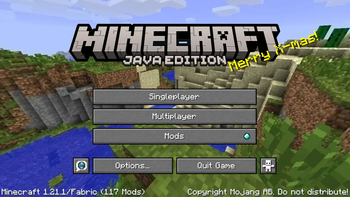
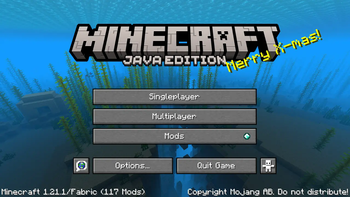
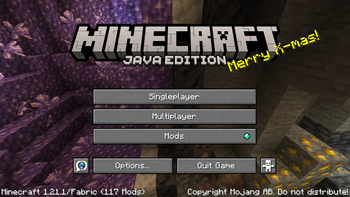
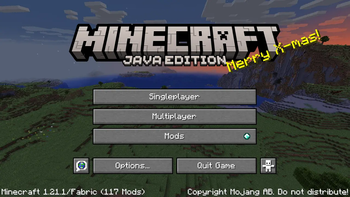
every past Minecraft panorama, classic-1.20. At some point i should add the rest of the panoramas (1.21, 1.21.4, 1.21.5, 1.21.6), but i don't feel like it rn. made for the Vistas mod, won't work without it.
how to install
- you will need the Vistas mod installed in Minecraft, since a vanilla resource pack can only have one panorama. i listed the Vistas mod as a dependency on the releases to make it absolutely clear.
- just drop it in your
resourcepacksfolder like any other resource pack. - after loading it, Vistas will choose a random panorama from the pack and show it on the title screen every time you launch the game.
setting a specific panorama
if you want to set a specific panorama instead, go into the config for the Vistas mod, and enter the id for the panorama you want:
- classic unblurred:
minecraft_snapshots:classic - classic blurred:
minecraft_snapshots:classic_blur - update aquatic (1.13):
minecraft_snapshots:ocean - village and pillage (1.14):
minecraft_snapshots:village - buzzy bees (1.15):
minecraft_snapshots:bees - nether (1.16):
minecraft_snapshots:nether - caves & cliffs, pt 1 (1.17):
minecraft_snapshots:caves - caves & cliffs, pt 2 (1.18):
minecraft_snapshots:caves_2 - the wild (1.19):
minecraft_snapshots:wild - trails & tales (1.20):
minecraft_snapshots:trails_and_tales - more coming Soon™
credits n stuff
The blurred classic, aquatic, village and pillage, buzzy bees, nether, and caves and cliffs pt 1 panoramas are taken from the Blast to the Past.zip resource pack by TerraformersMC. all other resources were downloaded from the Minecraft Wiki. Minecraft Snapshots © 2024 by EJSnow is licensed under CC BY-NC-SA 4.0
- Edition: Minecraft Java
- File type: .zip (resource pack)
- Minecraft versions listed: 1.18, 1.18.1, 1.18.2
- How to install: Download the .zip resource pack — do not unzip it. → Put it in .minecraft/resourcepacks. → Enable it in Options → Resource Packs.
- Where to get it: Opens on Modrinth — not every file is mirrored on our own servers.
Install steps are the general flow for this file type — How to install Minecraft Java resource packs walks through it step by step.
- Downloads as Minecraft_Snapshots.zip
- Download size: 38.2 MB
- Download link checked 9 Sept 2026 — working
These come from our own check of the pack file, not from the source page.