
Craftiful
I don't know my version or loader
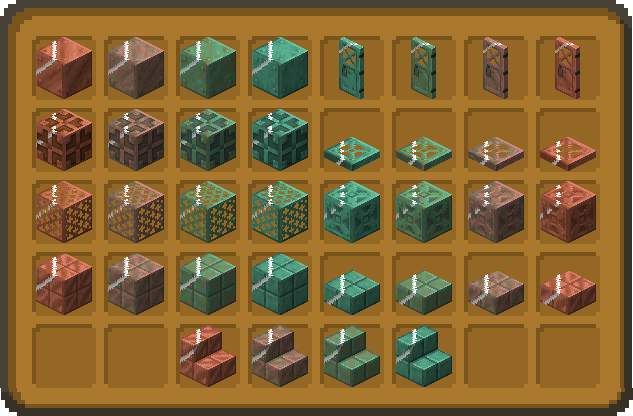
Now featuring Sulfur Cave additions!
Craftiful is still in Beta. Many features are still missing and some might look a bit wonky as they are still under construction - especially the GUI. But they will be fixed soon enough.

Craftiful adds a bit of beauty and a hint of utility into your Minecraft world - you could say it's a beautility pack!
What is Craftiful?
Craftiful is born from one simple idea: How can you get more out of Minecraft visually without changing the vibe of its looks? Craftiful aims to amplify Minecraft's immersion and improve on its visuals without taking too much liberty in changing the vibe of the game. Additionally, there are quite a few utility tweaks that we feel should be in the game for accessibility or simplicity reasons. But behold, this pack is far from finished! Make sure to show up every once in a while to get new features.
What's added?
The current build of Craftiful has distinguishable Potions, animation to distinguish Waxed Copper in your inventory, variated Lily Pads and a handful of other features. Personally, I would recommend that you just jump into the pack and discover the new stuff all by yourself. But if you want to be prepared, here are all the current features:
Features3D Block Models
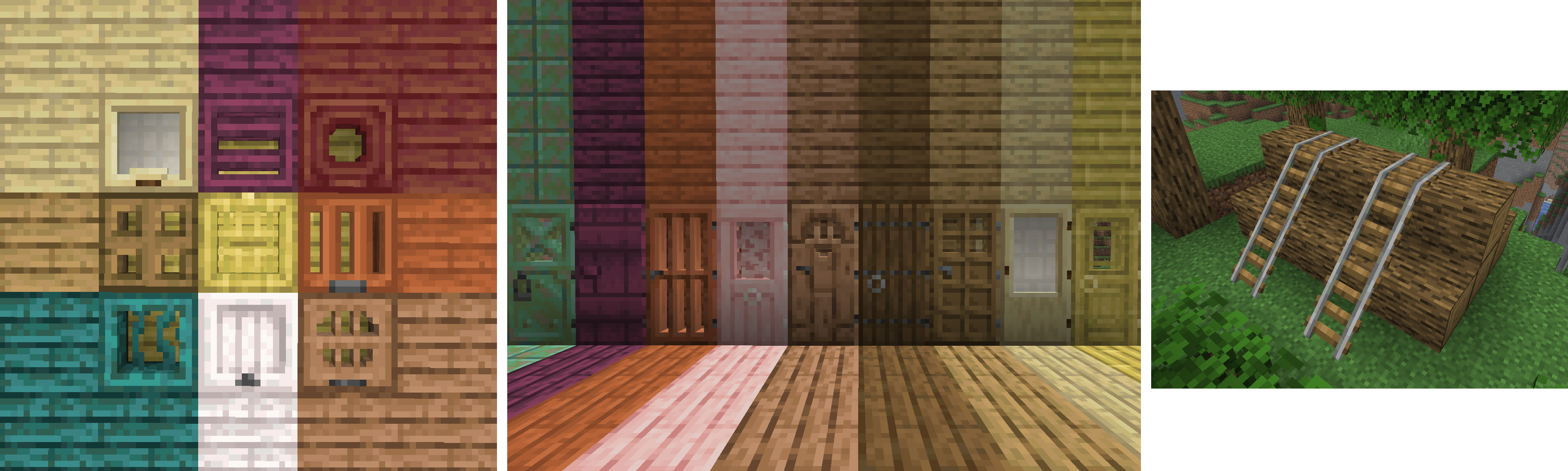
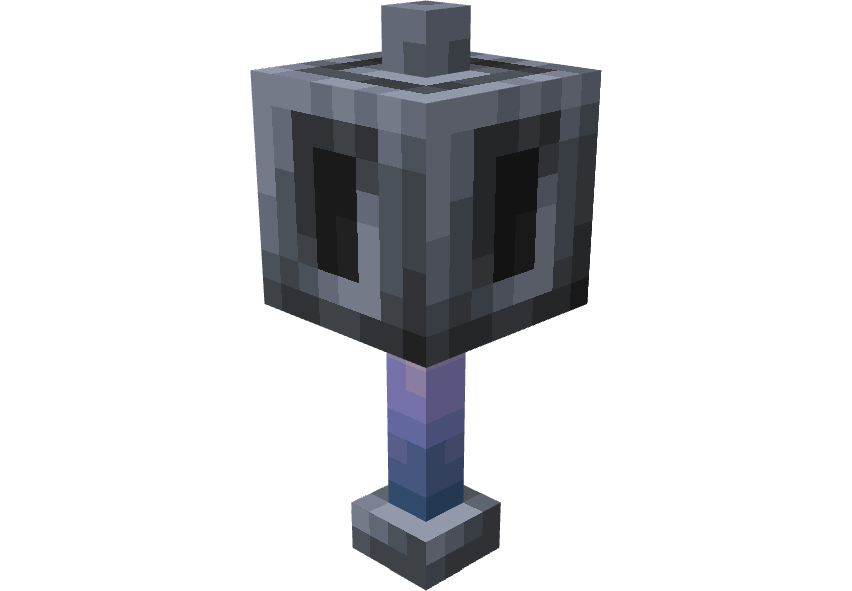
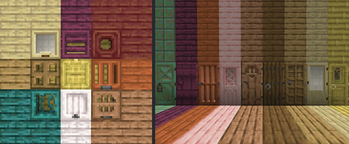
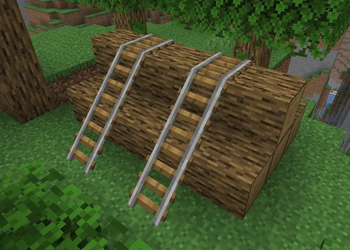
Some models in the game are pretty flat, so we gave them more depth. These blocks include:
all Bar types • all Door types • all Rail types • all Trapdoor types • Big Dripleaf • Frogspawn • Glow Lichen • Ladder • Leaf Litter • Lily Pad • Resin Clump • Sculk • Spawner • Trial Spawner • Vault • Ominous Vault • Vines • Chains • Brewing Stand
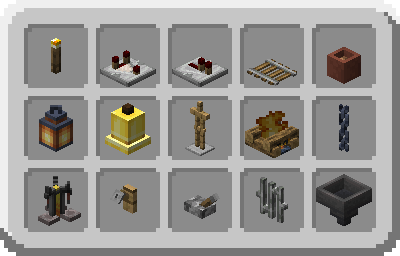
3D Item Models
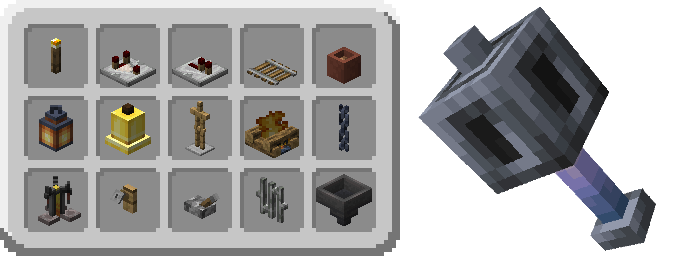
Isn't it odd that some blocks are displayed as proper blocks, while other have dedicated icon textures? Well, this pack makes these blocks blocky again:
all Bar types (except Waxed Copper) • all Campfire types • all Candle types • all Door types • all Lantern types (except Waxed Copper) • all Torch types • Armor Stand • Bell • Brewing Stand • Cauldron • Flower Pot • Hopper • Lever • Mace (in hand) • Redstone Comparator • Redstone Repeater • Sea Pickle • Tripwire Hook • and these aren't even all that are planned!
And don't worry, most of these will still display as sprites in Item Frames!
Fences, Fence Gates and Shelves have also been rotated in the inventory to now face the direction of incoming light.
Tiled Slabs and Stairs
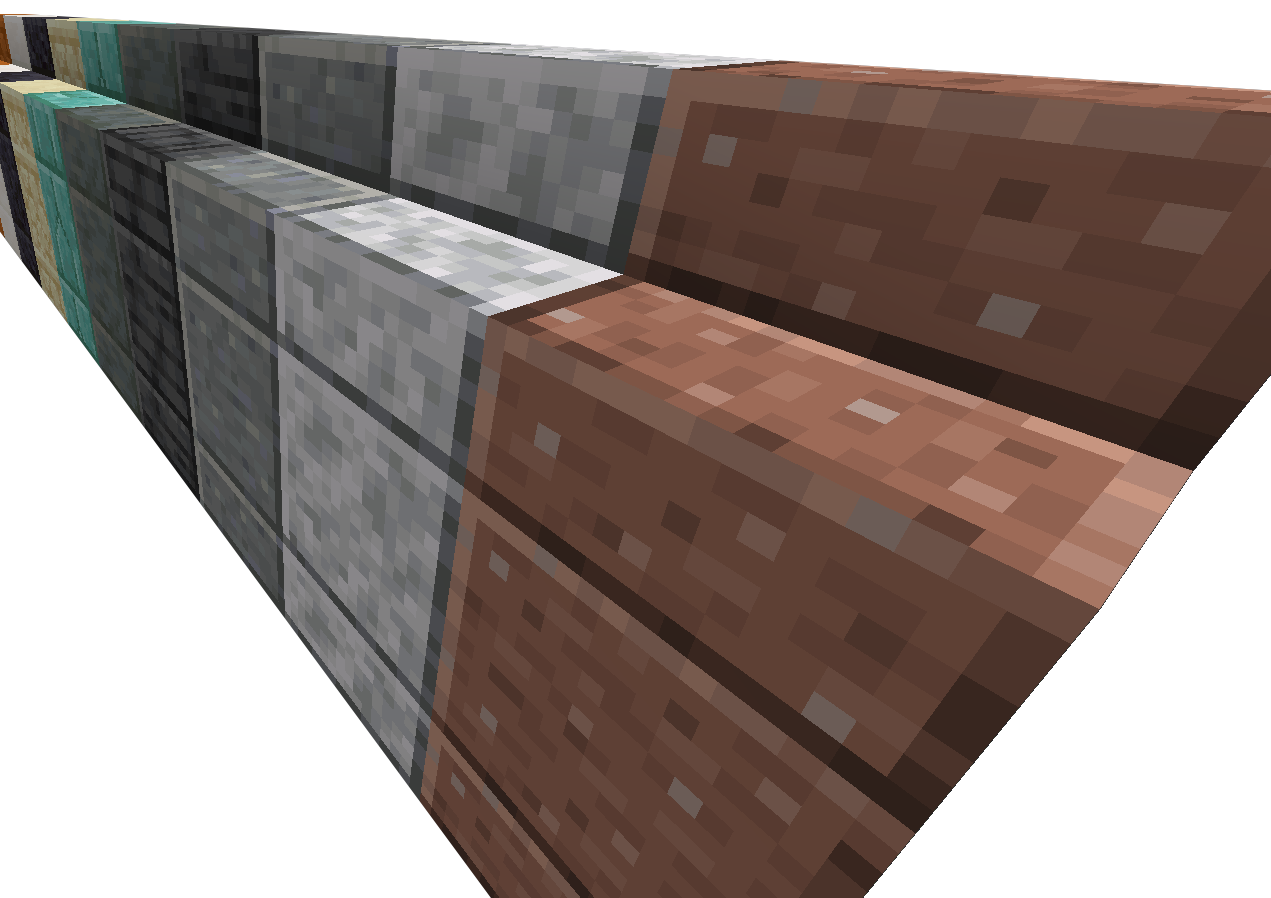
Slabs, Stairs and Walls of polished blocks love to simply cut off at edges instead of continuing their pattern to the end. This is now "fixed" for the following block types (Walls are still WIP):
Polished Andesite • Polished Blackstone • Polished Cinnabar • Polished Deepslate • Polished Diorite • Polished Granite • Polished Sulfur • Polished Tuff • Prismarine Bricks • Quartz • Sandstone • Cut Sandstone • Red Sandstone • Red Cut Sandstone
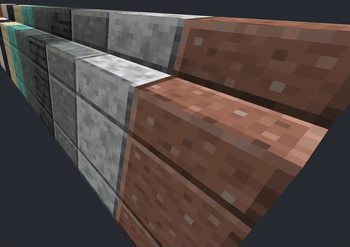
Variated Textures
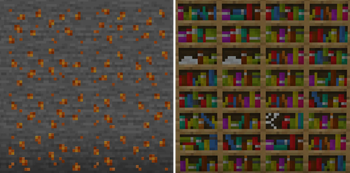
Looking at the world can feel a bit same-y in Minecraft, so this pack wants to add variations to some natural blocks.
Bookshelf • Cracked Stone Bricks • Lily Pads • Resin Clump • Sulfur Spike
Item Optmizations
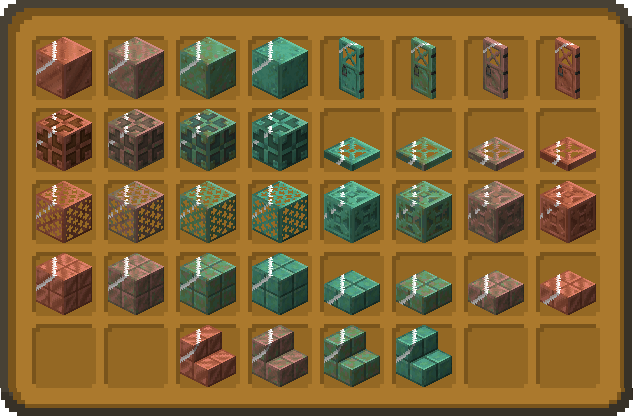
Small and nifty tweaks to help you tell your items apart in your inventory. Current additions are:
- shiny animation for all Waxed Copper blocks in the inventory
- corrupted animation for Infested Stone in the inventory
- distinguishable textures for Potions in all variants
- distinguishable textures for Ominous Bottles
- distinguishable textures for Paintings
- distinguishable textures for Axolotl Buckets
Redstone Indicators
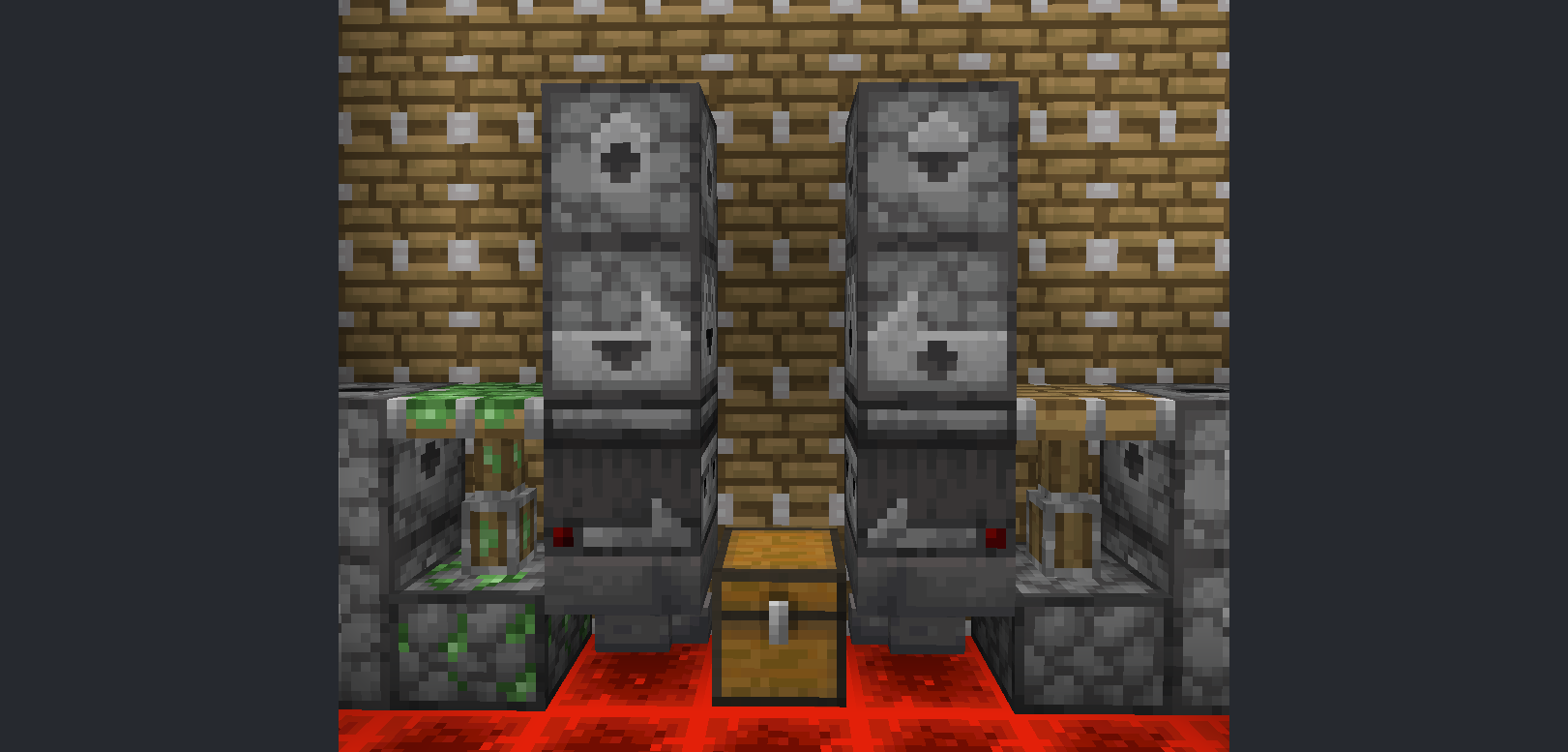
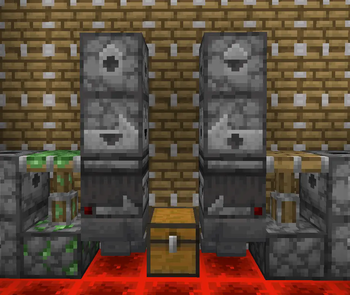
- Droppers, Dispensers and Observers show the direction they are facing from all sides
- Hoppers show subtile direction indication on their inside and the upper outside section
- Observer activation is indicated on all sides
- Sticky Pistons can be identified from all angles
Retextures and Remodeling
- TNT is now less muddy
- the sides of Wet Farmland show a moist gradient
- the GUI is currently being reworked
- the sides of regular Piston heads have been changed to accomodate tiling
- Piston bars now resemble their Bedrock counterparts
- Leaf Litter only shows as a quarter if dropped
- Big Dripleaves' stems no longer show through when tilted
- Beehives and Bee Nests indicate their honey stages through their texture
GUI
The following GUIs have been changed:
Advancements • Anvil • Chests • Crafter • Crafting Book • Creative Inventory • Dispenser • Dropper • Effect Background • Gamemode Switcher • Grindstone • Horse • Hotbar • Popups • Survival Inventory • Villagers • some icons • some minor GUI sprites
What's to come?
This pack isn't finished yet. Not even close! The future holds many new ways to enrich your Minecraft world with this resource pack!
Features awaiting their completion - a logo that is more than a simple Blockbench preset - distiguishable Enchanted Books - a GUI overhaul - more variated blocks - more 3D items - lush foliage and much, much more!I hope you have fun with the pack!
I found an issue in your pack!
That's a bummer, but we will fix it to ensure a high-quality experience. You can submit any bugs, criticism or other feedback here and we will get to it as soon as possible.
Issues we are aware of - Redstone Torch item glow effect - overlapping Vines, Glow Lichen and SculkThis is an official release of the resource pack. If you distribute the pack anywhere else, please:
- remove this section from the page description
- mark the distribution as unofficial
- credit me (Viftie) as the author
- link at least one of the official release pages (preferredly Modrinth)
- notify me via the pack's GitHub issue section
Other official releases include:
- Edition: Minecraft Java
- File type: .zip (resource pack)
- Minecraft versions listed: 1.21.9, 1.21.10, 1.21.11
- How to install: Download the .zip resource pack — do not unzip it. → Put it in .minecraft/resourcepacks. → Enable it in Options → Resource Packs.
- Where to get it: Opens on Modrinth — not every file is mirrored on our own servers.
Install steps are the general flow for this file type — How to install Minecraft Java resource packs walks through it step by step.
- Downloads as craftiful_0.4.2_mc26.2-3.zip
- Download size: 2.5 MB
- Download link checked 19 Aug 2026 — working
These come from our own check of the pack file, not from the source page.