
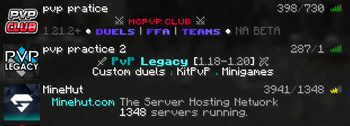
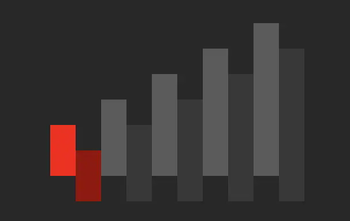






This resource pack makes it easier to see the amount of ping you have on a server. Hope you enjoy :)
How to download and use on Minecraft Java edition:
- Download the pack.
- Launch Minecrat 1.21.4 and click on Options -> Resource Packs and drag the pack into Minecraft.
Color meaning:
• Light green = Good Ping
• Dark green = Not so good but still playable
• Yellow = High ping
• Orange = Very high ping, might not be playable
• Red = ur cooked
Please leave comments if you want anything changed or you want more resource packs.
Quick facts
- Edition: Minecraft Java
- File type: .zip (resource pack)
- Minecraft version listed: 1.21.4
- How to install: Download the .zip resource pack — do not unzip it. → Put it in .minecraft/resourcepacks. → Enable it in Options → Resource Packs.
- Where to get it: Opens on Modrinth — not every file is mirrored on our own servers.
Install steps are the general flow for this file type — How to install Minecraft Java resource packs walks through it step by step.
Verified by MCModsHub
- Downloads as better_ping_icon.zip
- Download size: 11 KB
- Download link checked 10 Sept 2026 — working
These come from our own check of the pack file, not from the source page.