
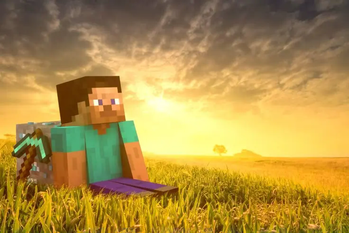
Give your Minecraft experience a unique touch with this Custom GUI Resource Pack! This pack features a completely redesigned interface with STEVE panorama overlay integrated into the UI. Whether you're looking for a fresh new look or just want to add some personal flair to your game, this pack is perfect for you.
🔹 How to Install:
Download the .zip file.
Place it in the resourcepacks folder (.minecraft/resourcepacks).
Select the pack in Minecraft's resource pack settings.
Enjoy your custom GUI!
💡 Compatible with both Vanilla and modded Minecraft!
🔗 If you enjoy this pack, don’t forget to leave a review! 😊
- Edition: Minecraft Java
- File type: .zip (resource pack)
- Minecraft version listed: 1.21.4
- How to install: Download the .zip resource pack — do not unzip it. → Put it in .minecraft/resourcepacks. → Enable it in Options → Resource Packs.
- Where to get it: Opens on Modrinth — not every file is mirrored on our own servers.
Install steps are the general flow for this file type — How to install Minecraft Java resource packs walks through it step by step.
- Downloads as V+GUI.zip
- Download size: 768 KB
- Download link checked 10 Sept 2026 — working
These come from our own check of the pack file, not from the source page.