
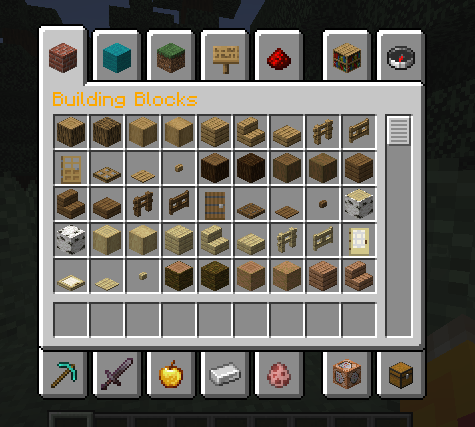
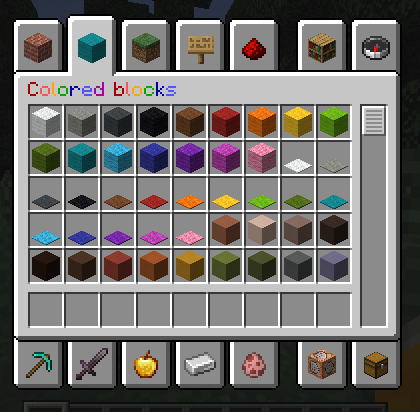
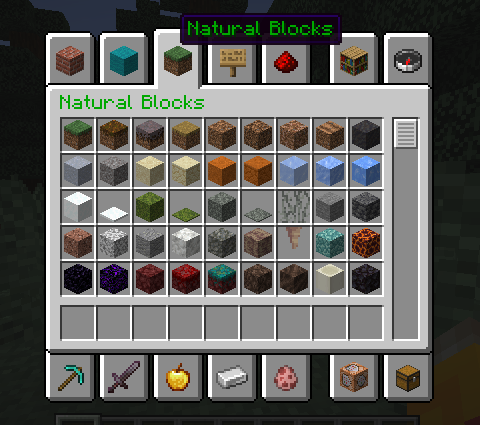
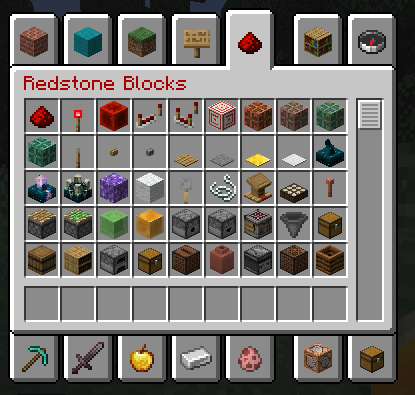
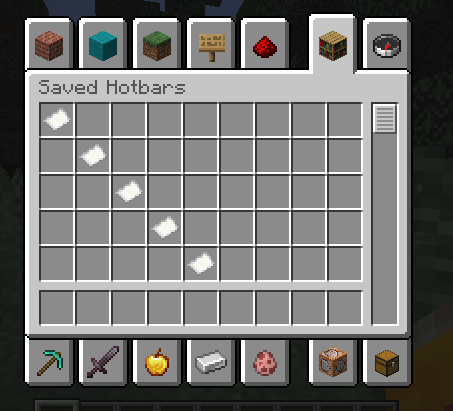
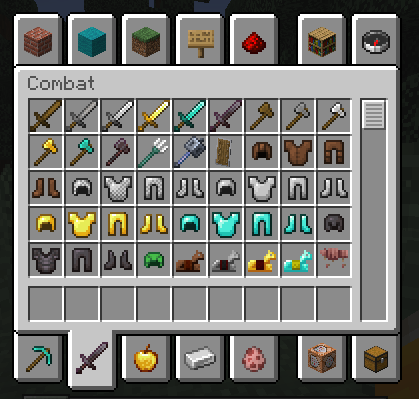

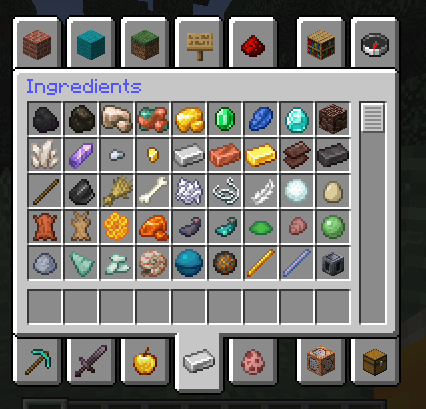
Ever wanted to make your game look a bit better?
Well, you found the right pack for you!
This pack changes the color of some GUI texts to make them stand out!
Supported texts - Creative inventory tab texts - On/off texts - Fancy/fabulous/fast graphic settingsThis pack has built-in ResPackOpts support. With this mod you can customize the pack in-game! To do it, install the mod, and then open the resource pack selection screen. You'll see a button next to the pack's name, click it and toggle on/off every feature available!
FAQ
Q: How do I use the in-game config screen?
A: Install the mod ResPackOpts, then go to the resource pack selection screen and click on the button next to the pack's name.
Q: Does the pack work even if I don't have ResPackOpts installed?
A: Yes!
Q: Can I redistribute the pack?
A: No, you CANNOT redistribute the pack on any website or share the file. Please share the link!
Q: Can I include your pack in my modpack?
A:
- Modrinth modpacks: Yes with proper credit (link in desc.)
- .zip modpacks: No. Please share the link
- The pack file: No. Please share the link
- Edition: Minecraft Java
- File type: .zip (resource pack)
- Minecraft versions listed: 1.13, 1.14, 1.15
- How to install: Download the .zip resource pack — do not unzip it. → Put it in .minecraft/resourcepacks. → Enable it in Options → Resource Packs.
- Where to get it: Opens on Modrinth — not every file is mirrored on our own servers.
Install steps are the general flow for this file type — How to install Minecraft Java resource packs walks through it step by step.
- Downloads as colorfulfonts_v1.0_1.13+.zip
- Download size: 55 KB
- Download link checked 10 Sept 2026 — working
These come from our own check of the pack file, not from the source page.