
This resource pack is archived because I want to split things into several resource packs, such as the glowing mature crops and the special font. Be sure to check those out if you likey!
This is a mostly-personalized resource pack I made for fun, but with the idea of publishing this as a work of mine, I've put more effort into the whole thing and am making this as organized and clean as possible!
GUI and HUD
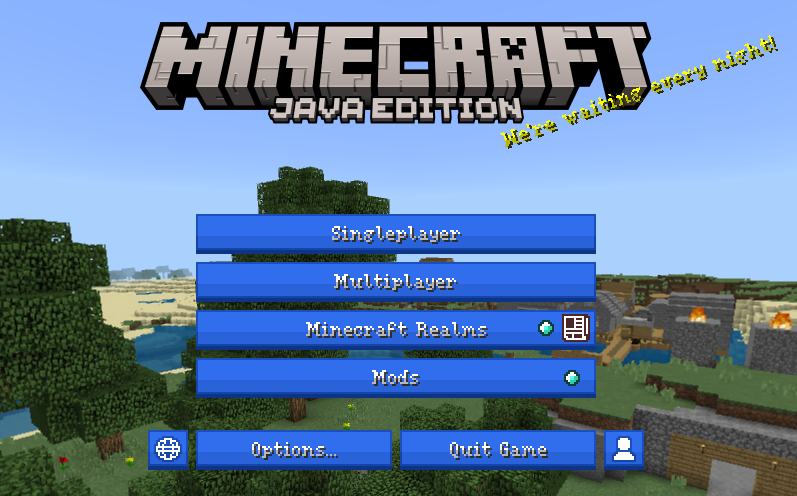
- Changes the panorama to the panorama from Legacy Console edition title update 5
- Replaces the default splash texts with mostly personal jokes
- Colors the UI blue and reshapes round GUI to be more square
- Differentiates whether you can't connect to a server because it's either unreachable or incompatible using the ping icon
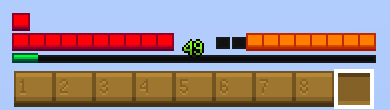
- Changes all the hotbar icons to be square
- Colors the hotbar a saturated brown to look more wooden
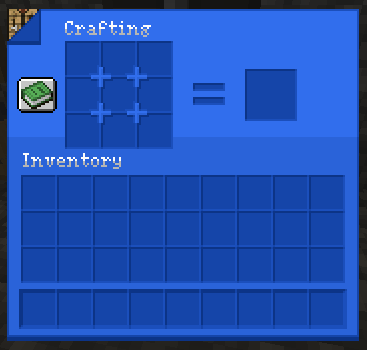
- Shows what block you're interacting with in the top left of most container GUI
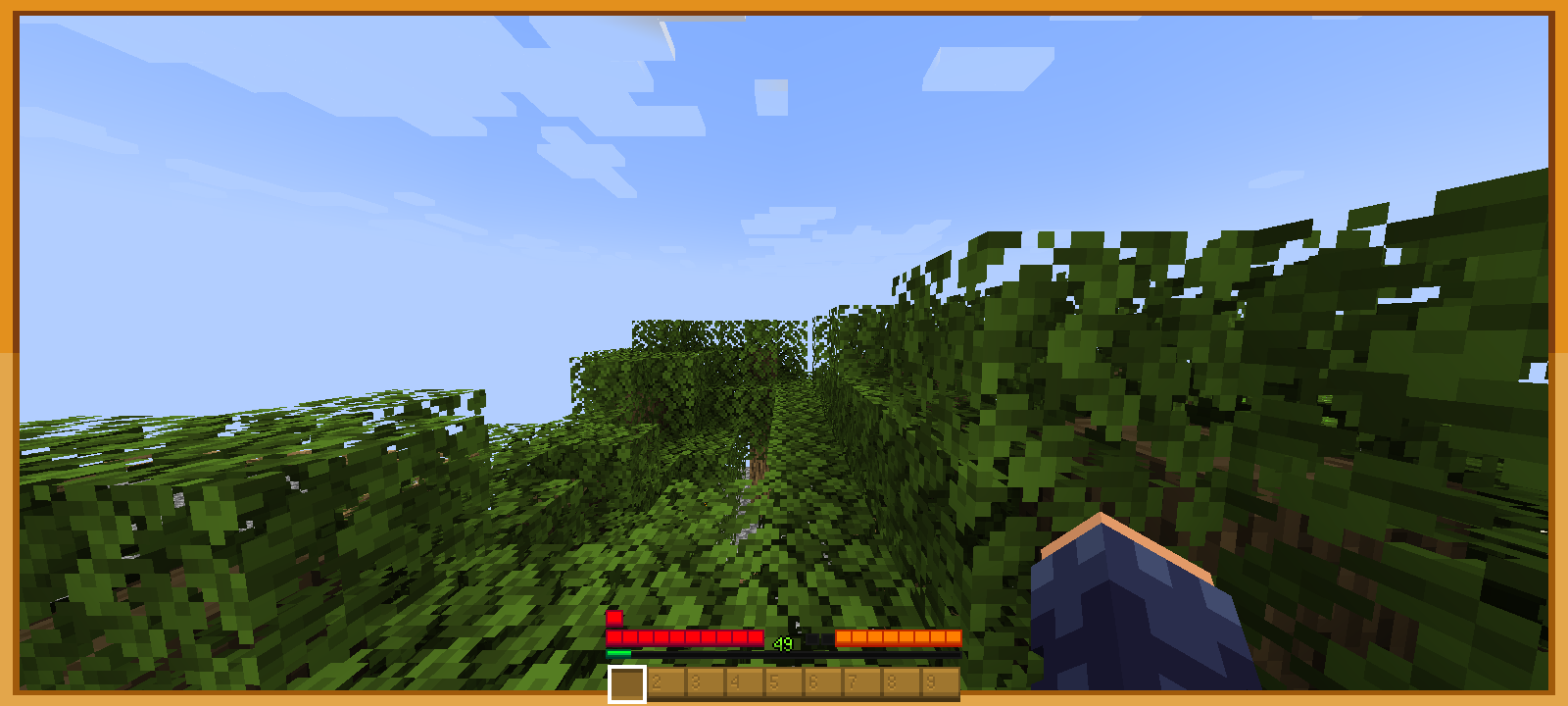
- Replaces the carved pumpkin aperture with an orange outline around your screen
- Replaces the frost effect with a blue outline around your screen
- Redesignes ASCII characters to be slightly thinner and serifed
- Shades ASCII characters
Blocks, items, and environment
- Changes the destroying textures to an open X that shrinks inwards, followed by a full square that expands outwards until it reaches the ends of the block
- Grants a colored, white-pulsing outline around ores
- Gives torches a flame animation
- Redesigns glow lichen to look more like a lantern while retaining its pallete
- Makes ripe crops pulse white
- Pixelatedly rounds the sun and moon
- Retextures the entity shadow to be a pixelatedly rounded square
- Retextures the map background to be a black-and-white border with full transparency where the contents of the map show up
Christy's Resources affects:
- Appleskin
- Simple Voice Chat
- Dynamic Crosshair
Quick facts
- Edition: Minecraft Java
- File type: .zip (resource pack)
- Minecraft versions listed: 1.20.2, 1.20.3, 1.20.4
- How to install: Download the .zip resource pack — do not unzip it. → Put it in .minecraft/resourcepacks. → Enable it in Options → Resource Packs.
- Where to get it: Opens on Modrinth — not every file is mirrored on our own servers.
Install steps are the general flow for this file type — How to install Minecraft Java resource packs walks through it step by step.
Verified by MCModsHub
- Downloads as Christy's Resources.zip
- Download size: 3.1 MB
- Download link checked 20 Aug 2026 — working
These come from our own check of the pack file, not from the source page.