
AplleSave
AppleSave — The Premium Minecraft Totem! Forget the boring vanilla immortality totem — meet the ultra-luxury model (could totally cost $999).Now every…
⬇ Download on ModrinthЯзык: Русский
AppleSave — Премиальный тотем для Minecraft! Забудьте про скучный ванильный тотем бессмертия — встречайте ультралюксовую модель (могла бы стоить $999). Теперь каждое спасение — как покупка новой жизни на криптобирже.
✨ Особенности: Кастомная текстура тотема — Заменяет стандартный тотем на уникальный дизайн.
Дополнительные элементы — Звук при использовании тотема
Совместимость — Работает в Vanilla Minecraft.
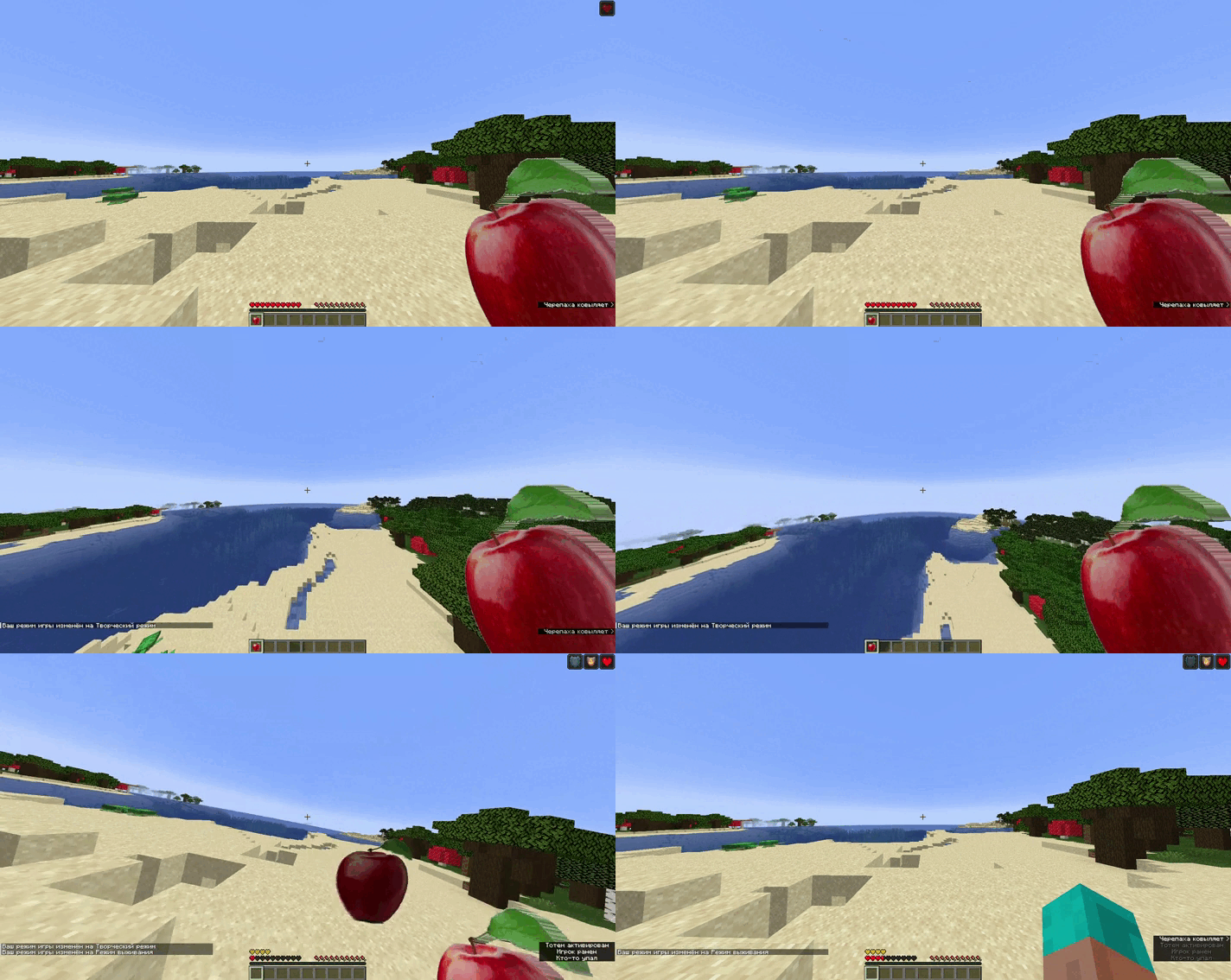
🖼️ Демонстрация Тотема
📌 Совместимость Версии Minecraft: 1.14x-1.19x, 1.20 – 1.20.2
📥 Установка Скачайте файл .zip.
Переместите его в папку resourcepacks.
Активируйте в настройках игры.
💡 Примечание:
Ресурспак можно использовать в видео и стримах — смело делитесь творчеством!
🔗 Автор: BEBR2305 🔹 Лицензия: MIT
Задонатье мне пожалуйста
Language:English
AppleSave — The Premium Minecraft Totem! Forget the boring vanilla immortality totem — meet the ultra-luxury model (could totally cost $999).Now every save is like buying a new life on a crypto exchange. Literally.
✨ Features: Custom totem texture - Replaces the standard totem with a unique design.
Additional items - Sound when using the totem Compatibility - Works in Vanilla Minecraft.
🖼️ Totem Demo
📌 Compatible versions of Minecraft: 1.14x-1.19x, 1.20 - 1.20.2
📥 Installation download the .zip file.
Move it to the resources folder.
Activate in the game product.
💡 Note:
Resourcepack can be used in videos and streams - feel free to share your creativity!
🔗 Author: BEBR2305 🔹 License: MIT
Dante me plz
- Edition: Minecraft Java
- File type: .zip (resource pack)
- Minecraft versions listed: 1.14, 1.14.1, 1.14.2
- How to install: Download the .zip resource pack — do not unzip it. → Put it in .minecraft/resourcepacks. → Enable it in Options → Resource Packs.
- Where to get it: Opens on Modrinth — not every file is mirrored on our own servers.
Install steps are the general flow for this file type — How to install Minecraft Java resource packs walks through it step by step.
- Downloads as AppleSave1.0.zip
- Download size: 190 KB
- Download link checked 21 Aug 2026 — working
These come from our own check of the pack file, not from the source page.