

Before and After:
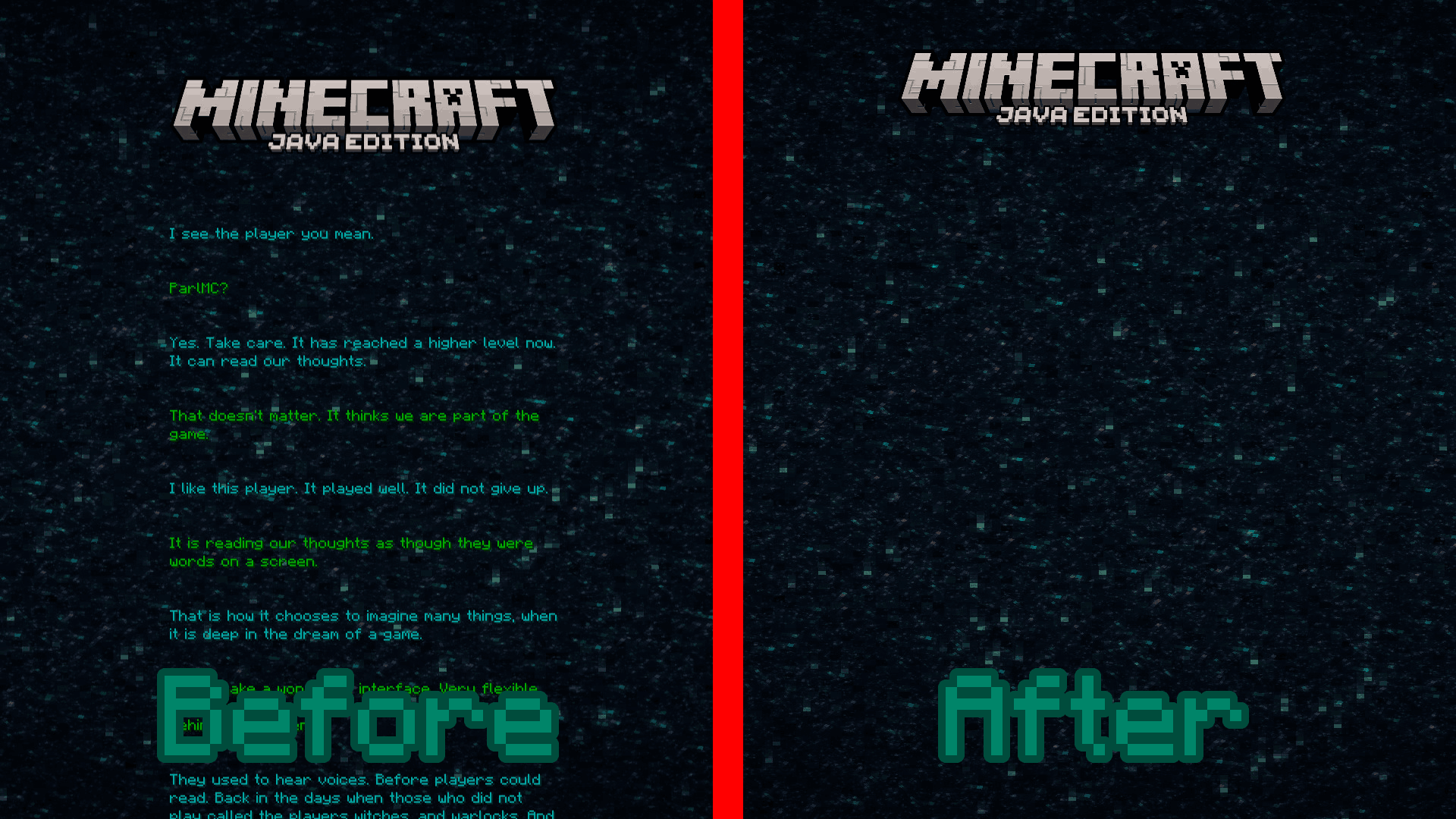
Before, you either had to wait a long while for all of the credits to roll, or you could just press escape. But now, you can just see the words "Minecraft Java Edition" go past your screen, and you are back in the game.
 Here are some Frequently Asked Questions that I ask myself.
Why did you make this?
For fun.
Are you going make this avalible on earlier versions?
Maybe... we'll see. I might just add support for 1.8.x, 1.12.x, and probably 1.16.x since I already have 1.20.2-1.21.10
Why is the word "Player" in the logo off center and randomly capitalized?
I noticed it after I already rendered it, and I was too lazy to change it. I'll probably change it sometime in the future, just not right now.
📄 Other Projects
 No Microsoft Splashes - Removes all of the Minecraft Splashes and Credits after the acquisition of Mojang and returns the ones that had left. (Reverts to 1.8.8)
 Old Credits - Reverts the credits to how they were in release 1.8.8, before Microsoft bought Minecraft.
- More coming soon
- Edition: Minecraft Java
- File type: .zip (resource pack)
- Minecraft versions listed: 23w31a, 23w32a, 23w33a
- How to install: Download the .zip resource pack — do not unzip it. → Put it in .minecraft/resourcepacks. → Enable it in Options → Resource Packs.
- Where to get it: Opens on Modrinth — not every file is mirrored on our own servers.
Install steps are the general flow for this file type — How to install Minecraft Java resource packs walks through it step by step.
- Downloads as No Credits 26.2.zip
- Download size: 3 KB
- Download link checked 21 Aug 2026 — working
These come from our own check of the pack file, not from the source page.