
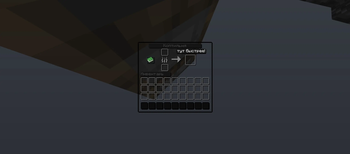
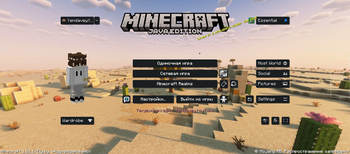
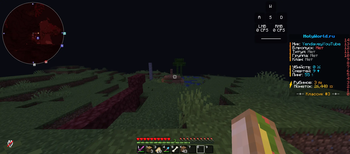
The Best Dark Transparent GUI This resource pack will change the look of your graphical interface. It will darken and transparent it, creating a fresh and modern look. This resource pack can also add creative labels to some inventory menus. Currently, the labels are only in Russian, but they don't really have any meaning. It's reminiscent of the labels next to Minecraft's name in the game menu, where they're written in yellow. The resource pack itself has three themes:
Dark transparent is the essence of the resource pack. White-dark transparent is the highlighted version of the button. And gray is the theme for certain types of buttons.
- Edition: Minecraft Java
- File type: .zip (resource pack)
- Minecraft versions listed: 1.21, 1.21.1
- How to install: Download the .zip resource pack — do not unzip it. → Put it in .minecraft/resourcepacks. → Enable it in Options → Resource Packs.
- Where to get it: Opens on Modrinth — not every file is mirrored on our own servers.
Install steps are the general flow for this file type — How to install Minecraft Java resource packs walks through it step by step.
- Downloads as The BDT GUI.zip
- Download size: 515 KB
- Download link checked 21 Aug 2026 — working
These come from our own check of the pack file, not from the source page.