
Old Growth Pine Taiga Foliage Everywhere!
Java resource pack listed for Minecraft 1.21–25.x. Downloads from the MC Java Mods app on Android.
Changes the Foliage colormap so it always matches the Old Growth Pine Taiga biome color – Part of the "Oh My Colormap!" collection.
⬇ Download on ModrinthOld Growth Pine Taiga Foliage Everywhere!
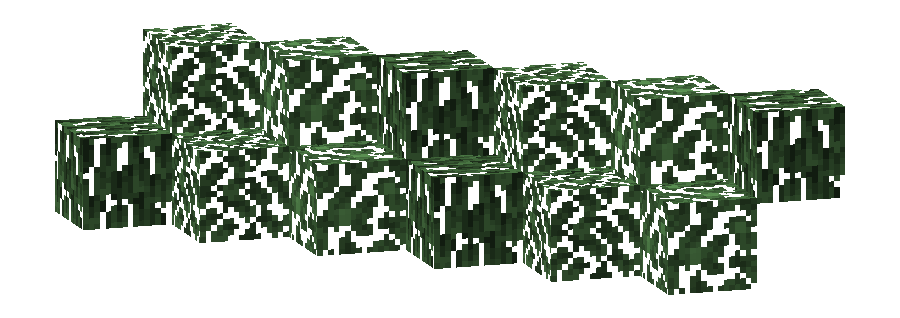
This pack changes the Foliage colormap so that it always matches the color of the Old Growth Pine Taiga biome(s).
The Old Growth Pine Taiga uses the color #68A55F in vanilla Minecraft.
- Old Growth Pine Taiga
- build_time:
2025-10-06T02:13:36+02:00 - build_user:
rotgruengelb
Limitations
Some biomes use hardcoded colors that cannot be overridden by resource packs.
This is a limitation of Minecraft itself, not of this pack.
Installation
Download the pack and place it in your resourcepacks folder.
About "Oh My Colormap!"
A collection of resource packs that change Minecraft’s colormaps.
Rotgruengelb (Developer & Artist):


- Edition: Minecraft Java
- File type: .zip (resource pack)
- Minecraft versions listed: 24w36a, 24w37a, 24w38a
- How to install: Download the .zip resource pack — do not unzip it. → Put it in .minecraft/resourcepacks. → Enable it in Options → Resource Packs.
- Where to get it: Opens on Modrinth — not every file is mirrored on our own servers.
Install steps are the general flow for this file type — How to install Minecraft Java resource packs walks through it step by step.
- Downloads as old_growth_pine_taiga_foliage_everywhere.v1.zip
- Download size: 15 KB
- Download link checked 22 Oct 2026 — working
These come from our own check of the pack file, not from the source page.