
Glyph Conversion Pack
A Minecraft: Java Edition resource pack that converts various languages using Hanzi / Kanji into different glyphs.
⬇ Download on Modrinth
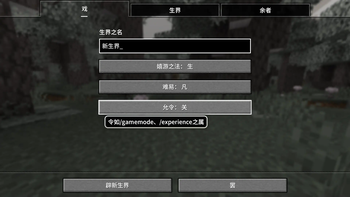
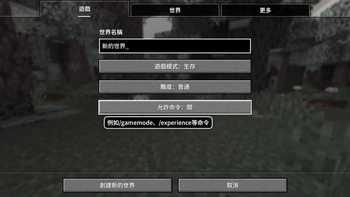
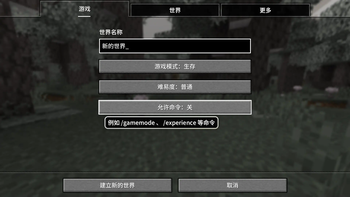
Glyph Conversion Resource Pack
This project is used to provide a Minecraft: Java Edition resource pack that converts various languages using Hanzi / Kanji into different glyphs. The conversion uses the library opencc.
Languages
The resource pack currently supports 5 languages: zh_guji, zh_twsc, zh_hksc, lzh_simp, and ja_kyuu.
繁體中文 (中國大陸) (zh_guji.json)
Converted from zh_cn based on Standard glyph list of generally used Chinese characters for ancient books publishing (GB/Z 40637-2021). Uses the s2g.json configuration from forFudan/GujiCC.

简化字文言 (华夏) (lzh_simp.json)
Converted by lzh according to List of Commonly Used Standard Chinese Characters. Uses the t2s.json configuration of opencc.

简体中文 (台湾) (zh_twsc.json)
Converted by zh_tw according to List of Commonly Used Standard Chinese Characters. Uses the tw2s.json configuration of opencc.

简体中文 (香港) (zh_hksc.json)
Converted from zh_hk according to List of Commonly Used Standard Chinese Characters. Uses the hk2s.json configuration of opencc.

舊字體日本語 (日本) (ja_kyuu.json)
Converted from ja_jp according to Jōyō kanji hyō (JIS X 0213:2004). Uses the jp2t.json configuration of opencc.

- Edition: Minecraft Java
- File type: .zip (resource pack)
- Minecraft versions listed: 1.19.2, 1.19.3, 1.19.4
- How to install: Download the .zip resource pack — do not unzip it. → Put it in .minecraft/resourcepacks. → Enable it in Options → Resource Packs.
- Where to get it: Opens on Modrinth — not every file is mirrored on our own servers.
Install steps are the general flow for this file type — How to install Minecraft Java resource packs walks through it step by step.
- Downloads as glyph_conversion_pack.zip
- Download size: 511 KB
- Download link checked 12 Sept 2026 — working
These come from our own check of the pack file, not from the source page.