
Birch Forest Grass Everywhere!
Java resource pack listed for Minecraft 1.21–25.x. Downloads from the MC Java Mods app on Android.
Changes the Grass colormap so it always matches the Birch Forest biome color – Part of the "Oh My Colormap!" collection.
⬇ Download on ModrinthBirch Forest Grass Everywhere!
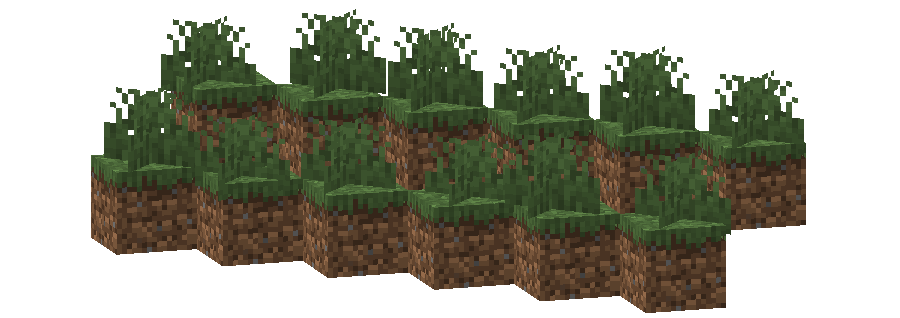
This pack changes the Grass colormap so that it always matches the color of the Birch Forest biome(s).
The Birch Forest uses the color #88BB67 in vanilla Minecraft.
- Birch Forest
- Old Growth Birch Forest
- build_time:
2025-10-06T02:13:39+02:00 - build_user:
rotgruengelb
Limitations
Some biomes use hardcoded colors that cannot be overridden by resource packs.
This is a limitation of Minecraft itself, not of this pack.
Installation
Download the pack and place it in your resourcepacks folder.
About "Oh My Colormap!"
A collection of resource packs that change Minecraft’s colormaps.
Rotgruengelb (Developer & Artist):


- Edition: Minecraft Java
- File type: .zip (resource pack)
- Minecraft versions listed: 24w36a, 24w37a, 24w38a
- How to install: Download the .zip resource pack — do not unzip it. → Put it in .minecraft/resourcepacks. → Enable it in Options → Resource Packs.
- Where to get it: Opens on Modrinth — not every file is mirrored on our own servers.
Install steps are the general flow for this file type — How to install Minecraft Java resource packs walks through it step by step.
- Downloads as birch_forest_grass_everywhere.v1.zip
- Download size: 18 KB
- Download link checked 13 Nov 2026 — working
These come from our own check of the pack file, not from the source page.