
Lava Replacement Helmet
Lava Replacement Pack. Whilst wearing "Lava Bane Helm" any nearby lava around you will be replaced with air. This will remove Lava pockets in the Nether…
⬇ Download on Modrinth
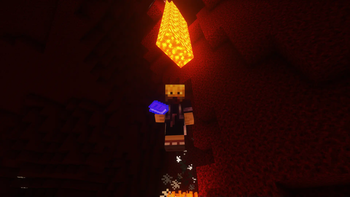
Pack Purpose This pack will add the "Lava Bane Helm" to the game.
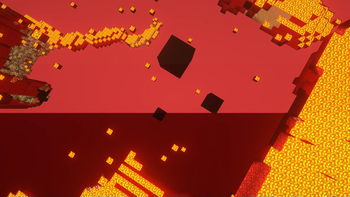
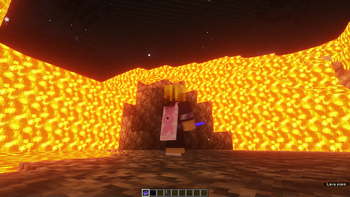
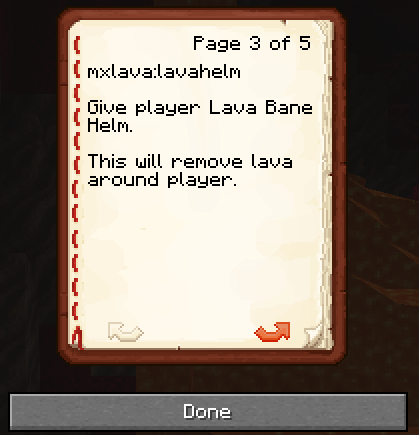
While wearing this helmet any lava within a short area either to the side or above you, will be replaced with air!
This will prevent lava pockets in the Nether dropping on your head. It will stop lava streams hitting you from above. It will allow you to descend into lava pools, though you may take fire damage. The helm has limited protection and fire resistance.
This is initial Alpha version! This was done in around 30 minutes, and is not finished...
A better version of this pack will be used for teaching children basic data pack coding. It will be used as an example on how to create custom items and effects. This is kept very very basic and simple for this reason. This pack is not yet at this stage, and is rough. Tutorial videos and instructions on how to amend this pack, and create your own customised items and weapons will be released in future, once this is tidied up.
Notes / What This Pack Is Not (Or Not Yet)
We will add the ability to replace anything, everything, or 2 particular specified block types. If you want full customisation, that will require our other unreleased database packs and framework...but is being worked on.
The ability to amend the range and upgrade the Helm is not yet implemented.
Notes / What's Not Tested / Potential Bugs / Work In Progress
This has not fully been tested for multiplayer though should work. Changes have been made to make it less costly and it looks to work fine.
The manual and commands will not currently work without creative mode/administrator. ANd manual has been removed for v1.21 due to issues with new formatr. We have a fix for this...
This pack has been separated from our other packs. Although it should integrate with our other packs it uses simpler non-standard method we are moving away from. This has been simplified to make it stand alone.
This runs every tick, which is not ideal and costly. If diving in lava pools this is required, or recommended. If you just want this to remove Lava Pockets, a more efficient and less costly method is incoming.
Instructions
There is no install or uninstall for this (in Alpha). As it is simplified deliberately there are no scoreboards, database entries, global variables. This may change in later versions.
Steps To Install & Update
Back up your game save!!!
Drop the folder "mxlava" in the datapack folder for your game save. For example:
C:\Users\[UserName]\AppData\Roaming\.minecraft\saves\[savegamename]\datapacks\mxlava
Reload your save using this command:
/reload
NOTE MANUAL NOT WORKING IN V07 SO HAS BEEN REMOVED. If for any reason you don't receive the manual you can type:
/function mxlava:man
If you want to be given the helm:
/function mxlava:lavahelm
Place the helm on your head to activate, remove it to de-activate.
This is very early version, with limited functionality.
External Links:
We do not create mods, we create packs and data packs within Mojang framework, and which will work on Realms.
Never install any packs, mods, or anything without fully understanding what they do, and ensuring it's legitimate and safe! If anything requires elevation (which ours do not), think twice and verify!
The Dark Is A Cold Lonely Shadow
- Edition: Minecraft Java
- File type: .jar
- Minecraft version listed: 1.21
- How to install: Install the matching mod loader (Forge, Fabric or NeoForge) for your Minecraft version. → Download the .jar. → Put it in the .minecraft/mods folder and launch that loader profile.
- Where to get it: Opens on Modrinth — not every file is mirrored on our own servers.
Install steps are the general flow for this file type — see the MC Java Mods guides for the full walkthrough.
- Downloads as mxlava.zip
- Download size: 2 KB
- Download link checked 9 Sept 2026 — working
These come from our own check of the pack file, not from the source page.