
Simple Armorstand Walk Animation
Java data pack listed for Minecraft 1.13–1.20. Downloads from the MC Java Mods app on Android.
⬇ Download on Modrinth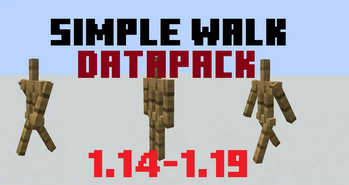
Datapack specifically for map makers.
Datapack allows you to:
- Enable armor stand movement animation.
- Force the armor stand to move.
- give armor stand Ability to jump
- Make the armor stand follow the player.
- Turn armor stand
To tag an armor stand type this command:
/tag @e[type=armor_stand] add [TAG]
TAG LIST:
move- Activate move animationwalk- armor stand moves at a speed of 0.1walk13- armor stand moves at a speed of 0.13walk2- armor stand moves at a speed of 0.2walk05- armor stand moves at a speed of 0.05left- turn Left on 45*left2- turn Left on 90*right- turn right on 45*right2- turn right on 90*180- turn 180*lookatplayer- make the armor stand face the player.canjump- The armor stand will jump to get on the block in front of it.eye- armor stand stops doing any movement and animation when the player looks at itbreak- breaks blocks in front of him (loot does not drop)breakdrop- breaks blocks in front of him (Blocks and loot drop out)breakup- breaks blocks in front up of him (loot does not drop)breakdropup- breaks blocks in front up of him (Blocks and loot drop out)breakd- breaks blocks in front down of him (loot does not drop)breakdropd- breaks blocks in front down of him (Blocks and loot drop out)place- puts stone blocks underneath
[If you want more animations or functional, write in the comments!]
Remove tag
/tag @e[type=armor_stand] remove [TAG]
If there are a lot of armor stands in your world, it is difficult to understand which one you want to use.
To fix this problem, you can pre-register additional tags when summoning an armor stand.
Type your armorstand id and target by these id.
/summon minecraft:armor_stand ~ ~ ~ {Tags:["id0"]}
an example of such an application:
/tag @e[tag=id0] add walk
or
/execute as @e[tag=id0] at @s run tag @s add walk
-entities with tag id0 will be given a tag "walk"
- Edition: Minecraft Java
- File type: .jar
- Minecraft versions listed: 1.13.1, 1.13.2, 1.14
- How to install: Install the matching mod loader (Forge, Fabric or NeoForge) for your Minecraft version. → Download the .jar. → Put it in the .minecraft/mods folder and launch that loader profile.
- Where to get it: Opens on Modrinth — not every file is mirrored on our own servers.
Install steps are the general flow for this file type — see the MC Java Mods guides for the full walkthrough.
- Downloads as armorstandmove.zip
- Download size: 4 KB
- Download link checked 19 Oct 2026 — working
These come from our own check of the pack file, not from the source page.