
DatapacksJava
MoarBlockSizes
Moar Block Sizes itscoldhere & joglacraft's Moar Block Sizes datapack Moar block Sizes is a simple datapack that allows you to easily make almost any…
I don't know my version or loader
Open the Minecraft launcher and look at the profile you play on — it names both, like fabric-loader-1.21.4. The version also shows in the bottom-right corner of the game's main menu.
No loader in the profile name? Then it's plain Minecraft, and these mods won't run — you need Fabric or NeoForge installed first.
Moar Block Sizes
itscoldhere & joglacraft's Moar Block Sizes datapack
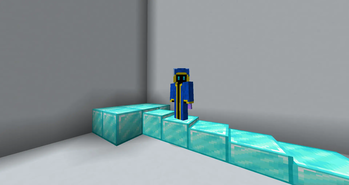
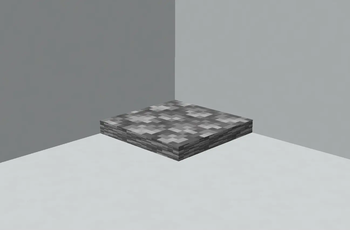
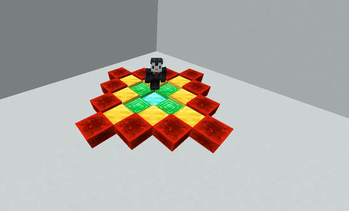
Moar block Sizes is a simple datapack that allows you to easily make almost any block the size of any amount of snow layers.
How to install
- Dowload the lastest version of the datapack on the Releases page.
- Extract the zip file.
- Open your .minecraft folder.
- Open your datapacks folder inside the world folder you want the datapack in.
- Move the file you just extracted inside that folder.
- In-game, execute
/reload. Note: Unlike other datapacks, no feedback of the datapack being active will be given (such as a sound effect or text in chat). Use the/triggercommand and look for any completion that readsmoarblocks.
Usage manual
- Type
/trigger moarblocks.mainto print a text-based menu to use the datapack.- Use it in case you don't want to deal with commands.
- Type
/trigger moarblocks.createto generate a new block.- Hold a block while executing this command to give it its texture.
- This block has no hitbox, meaning you can phase through it.
- Not holding anything while executing this command will generate the block with the
minecraft:stonetexture.
- Type
/trigger moarblocks.modifyto give the block a hitbox and make it 1 snow layer tall.- Before sending the command, type
set <number 1-8>to set how tall the block will be.
- Before sending the command, type
- Type
/trigger moarblocks.killto remove any blocks withim a 1x1 area.- You will have to remove the snow left afterwards.
List of available commands
Note: All commands should be run with /trigger moarblocks..
- create - creates a new block. (See above for details).
- credits - Prints on chat the datapack's credits.
- help - Prints on chat the datapack's help menu.
- kill - Removes all blocks created by Moah Blocks in a 3x3 area.
- main - Prints the datapack's text based menu in case you don't want to type commands.
- modify - Modifies the height Moar Block's block you are standing on.
Quick facts
- Edition: Minecraft Java
- File type: .jar
- Minecraft versions listed: 1.20.2, 1.20.3, 1.20.4
- How to install: Install the matching mod loader (Forge, Fabric or NeoForge) for your Minecraft version. → Download the .jar. → Put it in the .minecraft/mods folder and launch that loader profile.
- Where to get it: Opens on Modrinth — not every file is mirrored on our own servers.
Install steps are the general flow for this file type — see the MC Java Mods guides for the full walkthrough.
Verified by MCModsHub
- Downloads as MoarBlockSizes-1.0.4.zip
- Download size: 12 KB
- Download link checked 10 Sept 2026 — working
These come from our own check of the pack file, not from the source page.