
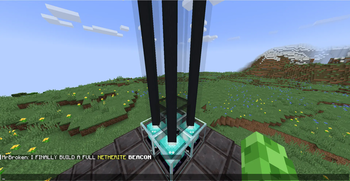

Chats+ is a spigot/paper plugin designed by CreppyMC. Chats+ helps you write formatted chat message in vanilla survival. Before, you needed admin permission and tellraw command. But now anyone can format normal chat messages. This plugin does not allow links to be formatted into the messages to stop scams. But it does allow colors, bold, italic and underline.

Before I get to the features, I have to warn you. I have no plans 'as of right now' to continue developing this plugin. I might do it in the future but not now. And also this plugin is full of bugs for the Alpha 1.0 Version.

Color Formatting:
Lets you format different words with diffrent colors like this- " /chat 'red(Hello)' 'yellow(World)' ". BUT, some colors and all of the hex codes are not working for Alpha 1.0 Version. For eg: " /chat 'purple(Bye)' " or " /chat '#5FECC1(Welcome)' ".
Bold:
Let's you bold any words in you message. For eg: " /chat 'bold(GO) 'bold(AWAY)' ". As of right now Alpha 1.0 Version, it is NOT possible to have both bold and colored texts. If I ever update this plugin I will for sure implement those.
Italic:
Same as the bold one, but it's Italic. Again, you can not have both bold and italic in the same message and every other parameters. Here's how the command can look like- " /chat 'italic(Message)' ".
Underline:
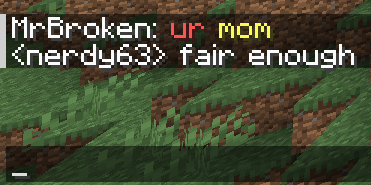
It puts Underlines in any word. And again like before, you can not have any other parameters than one. Here's how the command can look like- " /chat 'underline(urmom)' ".

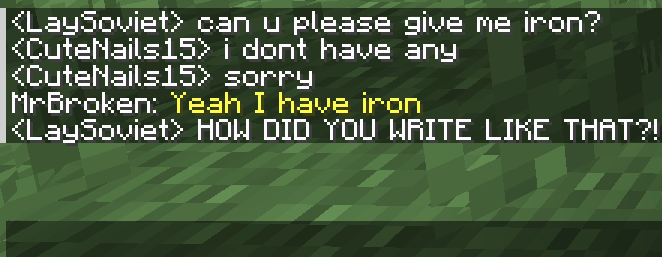
Here's some examples on how the chats will look compare to normal server chats while using the plugin-
- Edition: Minecraft Java
- File type: .jar
- Minecraft version listed: 1.21
- How to install: Install the matching mod loader (Forge, Fabric or NeoForge) for your Minecraft version. → Download the .jar. → Put it in the .minecraft/mods folder and launch that loader profile.
- Where to get it: Opens on Modrinth — not every file is mirrored on our own servers.
Install steps are the general flow for this file type — How to install Minecraft Java mods & modpacks walks through it step by step.
- Ships as CustomChatPlugin-1.0-SNAPSHOT.jar — drop this file into the mods folder
- Download size: 7 KB
- Download link checked 10 Sept 2026 — working
These come from our own check of the pack file, not from the source page.