
xLinks
"xLinks" is a lightweight Minecraft Spigot plugin that allows server operators to share Discord and webstore links directly in-game. It features a…
⬇ Download on Modrinth
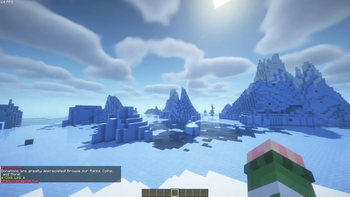
xLinks Plugin Overview:
"xLinks" is a lightweight and efficient Minecraft Spigot plugin designed to enhance player interaction and server management by providing customizable commands for sharing important links directly in-game. This plugin is perfect for server administrators who want to maintain seamless communication and provide easy access to their server's resources.
Features:
Customizable Discord and Webstore Links: Easily share your server's Discord and webstore links with players using simple commands.
Reloadable Configuration: Modify the plugin's messages and settings on the fly without needing to restart the server.
Permission-Based Access: Ensure that only authorized players can use the commands, providing a secure way to manage link sharing.
Lightweight and Optimized: Designed to use minimal resources, ensuring smooth performance even on servers with limited RAM.
Commands:
/discord: Shares the server's Discord link with the player.
/webstore: Shares the server's webstore link with the player.
/xlinks reload: Reloads the plugin's configuration, allowing for quick updates to the messages and settings.
Permissions:
server.discord: Allows access to the /discord command.
server.webstore: Allows access to the /webstore command.
server.xlinks.reload: Allows access to the /xlinks reload command (default: op).
Usage:
To share the Discord link, a player with the appropriate permission can simply type /discord in the chat. Similarly, the /webstore command will share the webstore link. Server operators can update the plugin's configuration and reload it using /xlinks reload.
- Edition: Minecraft Java
- File type: .jar
- Minecraft versions listed: 1.20.2, 1.20.4, 1.20.5
- How to install: Install the matching mod loader (Forge, Fabric or NeoForge) for your Minecraft version. → Download the .jar. → Put it in the .minecraft/mods folder and launch that loader profile.
- Where to get it: Opens on Modrinth — not every file is mirrored on our own servers.
Install steps are the general flow for this file type — How to install Minecraft Java mods & modpacks walks through it step by step.
- Ships as xlinks-1.0-SNAPSHOT.jar — drop this file into the mods folder
- Download size: 753 KB
- Download link checked 10 Sept 2026 — working
These come from our own check of the pack file, not from the source page.