
Forbidden Blocks Paper
This powerful plugin allows you to meticulously control the building environment by restricting the placement of specific items based on their display…
⬇ Download on Modrinth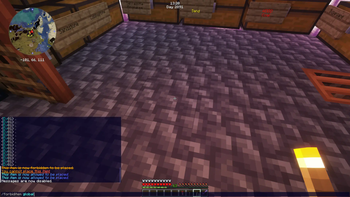
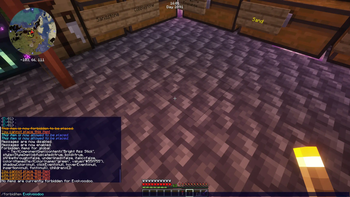
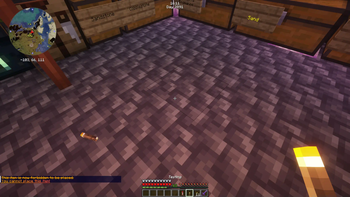
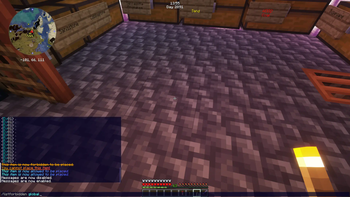
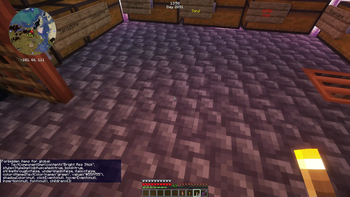
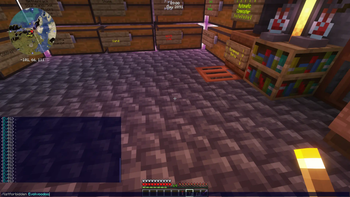
🚫 ForbiddenBlocks Plugin 🛡️
Description
Enhance your Minecraft server's gameplay with the ForbiddenBlocks Plugin! 🎉 This powerful plugin allows you to meticulously control the building environment by restricting the placement of specific items based on their display names. Imagine preventing unwanted placement of named or lore containing blocks – ForbiddenBlocks makes it easy! 🛠️
Server administrators and players with the necessary permissions gain the ability to forbid or allow item placement, offering a versatile tool for server management. Restrictions can be applied globally, affecting all players, or specifically to individual players, providing fine-grained control over block placement. Whether you want to prevent the use of certain decorative blocks in a survival world or restrict building in specific zones, ForbiddenBlocks gives you the power! 🧱➡️⛔
Installation Instructions
Get started with ForbiddenBlocks in just a few simple steps:
- 📥 Download the ForbiddenBlocks plugin JAR file.
- 📂 Place the JAR file into the
pluginsdirectory of your Minecraft server. - 🔄 Restart your server to activate the plugin.
That's it! ForbiddenBlocks is now ready to help you manage your server's building landscape. 🚀
Usage
Take command of your server's building rules with these easy-to-use commands:
Commands
/forbiditem [player|global] [itemName]: ⛔ Forbids item placement.- Use this command to prevent the placement of the item currently held by a player or specify an
itemName. - Target specific players by name or use
globalto apply the restriction server-wide. - If
itemNameis omitted, the item in hand will be forbidden. - Items are identified by their Display Name, ensuring compatibility with custom items.
/forbiditem global TNT <- Forbids TNT for everyone /forbiditem Notch Diamond Block <- Forbids Diamond Blocks for player 'Notch' /forbiditem global <- Forbids the item you are holding globally- Use this command to prevent the placement of the item currently held by a player or specify an
/allowitem [player|global] [itemName]: ✅ Allows item placement.- Reverses the effect of
/forbiditem, permitting the placement of previously forbidden items. - Works similarly to
/forbiditem, allowing you to target players or the global setting, and optionally specify anitemName. - If
itemNameis not provided, the item in hand will be allowed again.
/allowitem global TNT <- Allows TNT for everyone again /allowitem Notch Diamond Block <- Allows Diamond Blocks for player 'Notch' again /allowitem global <- Allows the item you are holding globally again- Reverses the effect of
/togglemessages: 💬 Toggles placement restriction messages.- Players can use this command to control whether they receive messages when attempting to place a forbidden block.
- Personalize the gameplay experience by allowing players to silence notifications if desired.
/togglemessages <- Toggles your message notifications/listforbidden [player]: 📜 Lists forbidden items.- Displays a list of all currently forbidden items.
- Optionally specify a
playername to view items forbidden specifically for that player. - Without a player name, it shows globally forbidden items.
/listforbidden <- Lists globally forbidden items /listforbidden Notch <- Lists items forbidden for player 'Notch'/reloadconfig: 🔄 Reloads plugin configuration.- Applies changes made in the
config.ymlfile without requiring a server restart. - Ideal for quick adjustments and testing of configuration changes.
/reloadconfig <- Reloads the config.yml- Applies changes made in the
Permissions
Fine-tune access to the ForbiddenBlocks commands with these permissions:
forbiddenblocks.forbid: ⛔ Allows use of/forbiditemto restrict item placement.forbiddenblocks.allow: ✅ Allows use of/allowitemto re-enable item placement.forbiddenblocks.togglemessages: 💬 Allows use of/togglemessagesto manage notifications.forbiddenblocks.list: 📜 Allows use of/listforbiddento view forbidden items.forbiddenblocks.reload: 🔄 Allows use of/reloadconfigto reload the configuration.# Example in permissions plugin (like LuckPerms) groups: admin: permissions: - forbiddenblocks.* # Gives all ForbiddenBlocks permissions to admins builder: permissions: - forbiddenblocks.list # Allows builders to list forbidden items
Configuration
Customize ForbiddenBlocks to perfectly fit your server's needs by editing the config.yml file, located in the plugin's folder.
Here's a breakdown of the configuration options:
Messages: ✉️ Tailor the in-game messages to your liking!
- Customize every message sent by the plugin for different actions (e.g., when an item is forbidden or when a player is notified).
- Leverage MiniMessage formatting tags to add rich text formatting like colors
<color:red>, styles<b>, and more! ✨ - Refer to the
config.ymlfor default message examples and unleash your creativity! 🎨 - Available message paths:
messages.cannotPlace: Message when a player tries to place a forbidden block.messages.itemForbidden: Message when an item is successfully forbidden.messages.itemAllowed: Message when an item is successfully allowed.messages.mustHoldNamedItem: Message when/forbiditemor/allowitemis used without holding a named item.messages.noPermission: Generic no permission message.
messages: cannotPlace: "<red>🚫 You are not allowed to place <item>here!</red>" itemForbidden: "<green>✅ <item> is now forbidden!</green>" itemAllowed: "<green>✅ <item> is now allowed again!</green>" mustHoldNamedItem: "<yellow>⚠️ You must be holding an item with a display name!</yellow>" noPermission: "<red>❌ You don't have permission to use this command.</red>"Options: ⚙️ Global plugin settings.
sendMessages: A boolean option (true/false) to globally control whether the plugin sends restriction messages to players.true(default): Messages are sent to players when they try to place a forbidden block.false: No messages are sent, providing a silent restriction.
options: sendMessages: trueplayerForbiddenItems: 🗂️ Manage forbidden items with precision.
- This section defines which items are forbidden for placement, both globally and for specific players.
- The plugin checks the Display Name of the item being placed against these configurations.
global: A list of item display names that are forbidden for all players on the server.- Add item display names here to implement server-wide restrictions.
- Supports plain text item names, namespaced keys (like
minecraft:bedrock), and even MiniMessage formatted display names for advanced item customization.
playerForbiddenItems: global: - "TNT" - "Minecraft:Bedrock" # Example with namespace - "<gradient:#FF0000:#0000FF>Super Explosive Crate</gradient>" # Example with MiniMessage formattingPlayerName: Create sections for individual players using their exact player names.- Under each player's name, list item display names that are forbidden specifically for that player.
- This allows for highly customized building permissions per player!
playerForbiddenItems: global: - "TNT" Notch: # Player-specific restrictions for 'Notch' - "Oak Log" - "Oak Plank" ```
How it works ⚙️
The ForbiddenBlocks plugin works by:
- Listening to Block Placement Events: The plugin registers an event listener that monitors
BlockPlaceEventin your Minecraft server. This event is triggered every time a player attempts to place a block. 👂 - Checking Item Display Names: When a block placement event occurs, the plugin retrieves the item from the player's hand and checks if it has a display name. It then uses MiniMessage to serialize this display name to a string. 🏷️
- Verifying Against Forbidden Lists: The plugin then checks this display name against two lists:
- Global Forbidden Items: A list of items forbidden for all players, defined in the
config.ymlunderplayerForbiddenItems.global. 🌎 - Player-Specific Forbidden Items: Lists of items forbidden for specific players, also defined in
config.ymlunderplayerForbiddenItems.PlayerName. 👤
- Global Forbidden Items: A list of items forbidden for all players, defined in the
- Cancelling Placement and Notifying Player: If the placed item's display name is found in either the global or the player-specific forbidden lists, the plugin cancels the
BlockPlaceEvent, preventing the block from being placed. 🚫- If enabled in the configuration (
options.sendMessages: true), the plugin sends a customizable message to the player informing them that they are not allowed to place the block. 💬
- If enabled in the configuration (
This process ensures that block placement restrictions are enforced smoothly and efficiently, enhancing your server's control over the building environment. ✨
Contributing
🤝 Contributions are welcome! If you have ideas for improvements, new features, or bug fixes, please don't hesitate to contribute!
- Do Submit a pull request with your changes.
- 🐛 Open an issue to discuss bugs or suggest enhancements.
Let's make ForbiddenBlocks even better together! 🚀
License
This project is licensed under the MIT License. Feel free to use, modify, and distribute it as per the terms of the license. 📄
- Edition: Minecraft Java
- File type: .jar
- Minecraft version listed: 1.21.4
- How to install: Install the matching mod loader (Forge, Fabric or NeoForge) for your Minecraft version. → Download the .jar. → Put it in the .minecraft/mods folder and launch that loader profile.
- Where to get it: Opens on Modrinth — not every file is mirrored on our own servers.
Install steps are the general flow for this file type — How to install Minecraft Java mods & modpacks walks through it step by step.
- Ships as ForbiddenBlocks-1.0.jar — drop this file into the mods folder
- Download size: 1.5 MB
- Download link checked 10 Sept 2026 — working
These come from our own check of the pack file, not from the source page.