
AmazingFly
An efficient and lightweight flight mode plugin!
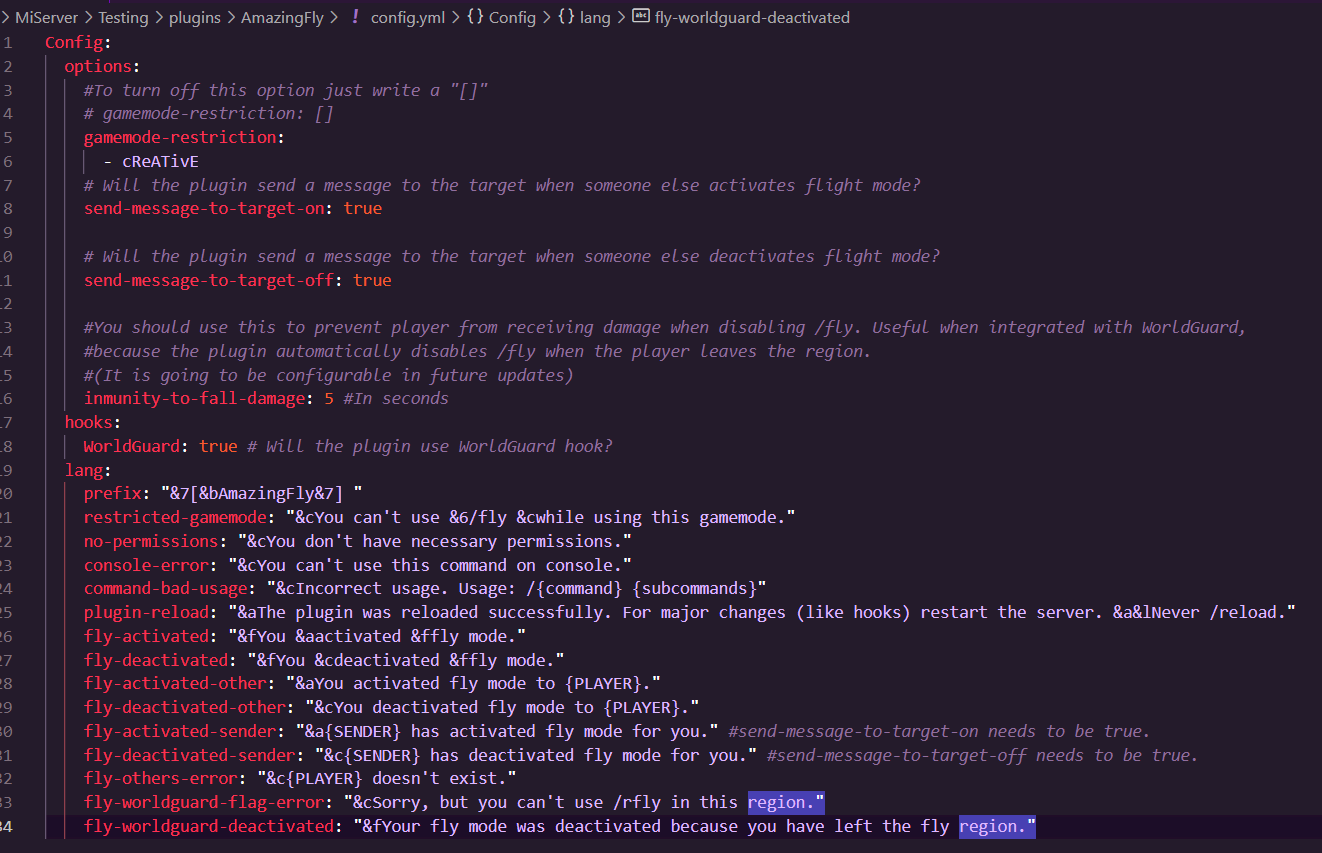 Easy and short configuration file
FEATURES: • You can restrict in which game mode the flight mode can be activated. ( • All messages are customizable • Other features will be added in future updates! • WorldGuard and PAPI integration
COMMANDS & PERMISSIONS: ‣ /fly - Activates fly mode for sender - Permission: amazingfly.use ‣ /fly - Activates fly mode for target - Permission: amazingfly.use.others ‣ /rfly - Activates fly mode in a WorldGuard region with "amazing-fly" flag - Permission: amazingfly.use.worldguard ‣ /afly reload - Reloads configuration - Permission: amazingfly.reload
• Permission amazingfly.bypass to bypass gamemode restrictions • Permission amazingfly.admin to have all plugin permissions
DEPENDENCIES:
- PlaceholderAPI (Optional) - Access to placeholders
- WorldGuard (Optional) - Access to amazing-fly flag in wg regions to create fly-zones. This open many posibilities, for example to allow players to fly only in their owned regions. (For example ProtectionStones)
AVAILABLE MINECRAFT VERSIONS: 1.16+ (Spigot and Paper. Not CraftBukkit)
TO-DO: PlaceholderAPI hook (Version 1.0.0-RELEASE) ✓ MySQL support to cross-server fly-mode Adding bStats ✓
SUPPORT: Contact me on Discord: elsus1719
CURRENT PLACEHOLDERS:
- %amazingfly_isflying% - Returns true or false
- %amazingfly_isflying_% - Returns true or false
COMMON ERRORS: No detected.
Config fileConfig:
options:
#To turn off this option just write a "[]"
# gamemode-restriction: []
gamemode-restriction:
- cReATivE
# Will the plugin send a message to the target when someone else activates flight mode?
send-message-to-target-on: true
# Will the plugin send a message to the target when someone else deactivates flight mode?
send-message-to-target-off: true
#You should use this to prevent player from receiving damage when disabling /fly. Useful when integrated with WorldGuard,
#because the plugin automatically disables /fly when the player leaves the region.
#(It is going to be configurable in future updates)
inmunity-to-fall-damage: 5 #In seconds
hooks:
WorldGuard: true # Will the plugin use WorldGuard hook?
lang:
prefix: "&7[&bAmazingFly&7] "
restricted-gamemode: "&cYou can't use &6/fly &cwhile using this gamemode."
no-permissions: "&cYou don't have necessary permissions."
console-error: "&cYou can't use this command on console."
command-bad-usage: "&cIncorrect usage. Usage: /{command} {subcommands}"
plugin-reload: "&aThe plugin was reloaded successfully. For major changes (like hooks) restart the server. &a&lNever /reload."
fly-activated: "&fYou &aactivated &ffly mode."
fly-deactivated: "&fYou &cdeactivated &ffly mode."
fly-activated-other: "&aYou activated fly mode to {PLAYER}."
fly-deactivated-other: "&cYou deactivated fly mode to {PLAYER}."
fly-activated-sender: "&a{SENDER} has activated fly mode for you." #send-message-to-target-on needs to be true.
fly-deactivated-sender: "&c{SENDER} has deactivated fly mode for you." #send-message-to-target-off needs to be true.
fly-others-error: "&c{PLAYER} doesn't exist."
fly-worldguard-flag-error: "&cSorry, but you can't use /rfly in this region."
fly-worldguard-deactivated: "&fYour fly mode was deactivated because you have left the fly region."
PLEASE DON'T REPOST THE PLUGIN IN OTHER FORUMS OR SERVER SETUPS DO NOT PASTE PLUGIN ERRORS IN THE REVIEW SECTION.
- Edition: Minecraft Java
- File type: .jar
- Minecraft versions listed: 1.16, 1.17, 1.18
- How to install: Install the matching mod loader (Forge, Fabric or NeoForge) for your Minecraft version. → Download the .jar. → Put it in the .minecraft/mods folder and launch that loader profile.
- Where to get it: Opens on Modrinth — not every file is mirrored on our own servers.
Install steps are the general flow for this file type — How to install Minecraft Java mods & modpacks walks through it step by step.
- Ships as AmazingFly-1.1.1.jar — drop this file into the mods folder
- Download size: 46 KB
- Download link checked 10 Sept 2026 — working
These come from our own check of the pack file, not from the source page.