
StatusMC
Java mod listed for Minecraft 1.17–1.21. Downloads from the MC Java Mods app on Android.
What is it? This plugin allows you to monitor your PaperMC or SpigotMC's server's TPS & MSPT values with support for email & webhook alerts with the help…
⬇ Download on Modrinth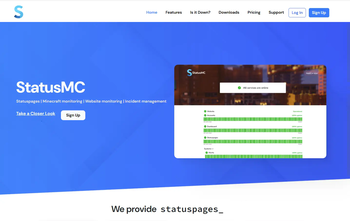

What is it?
This plugin allows you to monitor your PaperMC or SpigotMC's server's TPS & MSPT values with support for email & webhook alerts with the help of the StatusMC platform. All values retrieved through the plugin are stored for a month allowing you to analyze your server's metrics in a graph.
How does it work?
Upon installing the plugin on your Minecraft server you need to register for a StatusMC account. After creating a TPS/MSPT monitor on our site the system starts periodically contacting the plugin on your server to retrieve the your server's TPS & MSPT values, our back-end system then looks at those values it received and takes action based on them if necessary (such as alerting you via e-mail).
Key Features:
Minecraft MSPT monitoring (including historical data up to a month ago)
Minecraft TPS monitoring (including historical data up to a month ago)
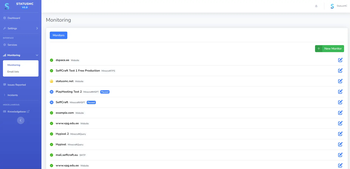
Minecraft Query monitoring
Website Monitoring
SMTP server monitoring
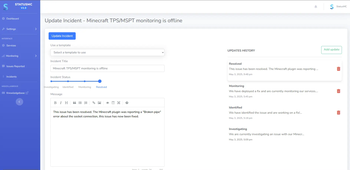
Incident management (including an issue report form for easy reporting from your players)
Incidents support pre-defined templates
Automatic alerts (automatic incidents, alert emails, webhook support)
Alert emails support sending an email to a whole group of emails or just a few email addresses.
Statuspages (showcase your server's uptime and notify your players easily when problems arise)
Schedule maintenances
Custom CSS support
Set up
- Create an account on our site
- Download the StatusMC plugin
- Create a statuspage on the StatusMC site
- Create a TPS/MSPT monitor on the StatusMC site
- Configure the config file on the plugin itself
- Restart the server and you're good to go
A detailed guide can be found here: https://support.statusmc.net/en/blog/setting-up-minecraft-tps-mspt-monitoring
You're also welcome to join our Discord: https://discord.gg/jP5qwMxXd9
- Edition: Minecraft Java
- File type: .jar
- Minecraft versions listed: 1.17.1, 1.18, 1.18.1
- How to install: Install the matching mod loader (Forge, Fabric or NeoForge) for your Minecraft version. → Download the .jar. → Put it in the .minecraft/mods folder and launch that loader profile.
- Where to get it: Opens on Modrinth — not every file is mirrored on our own servers.
Install steps are the general flow for this file type — How to install Minecraft Java mods & modpacks walks through it step by step.
- Ships as StatusMCv1.0.jar — drop this file into the mods folder
- Download size: 20 KB
- Download link checked 21 Oct 2026 — working
These come from our own check of the pack file, not from the source page.