
zAnnouncements
Send beautiful and customizable announcements across your Minecraft server using color and hex codes. Simple, lightweight, and easy to configure — ideal…
⬇ Download on Modrinth
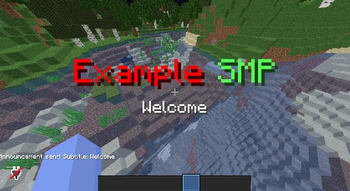
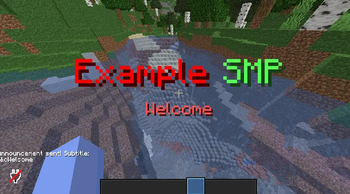
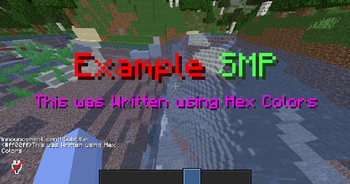
zAnnouncements is a lightweight and easy-to-use plugin that allows server administrators to send beautiful, formatted announcements to all players. Whether you’re managing a small SMP or a large community, this plugin makes global communication simple and stylish.
✨ Features
Send global announcements with /announce
Reload the configuration instantly with /zannouncements reload
Supports Legacy Color Codes (&c, &a, etc.) and Hex Colors (<#ff00ff>)
Fully customizable main title in the config file
Clean and minimal — no unnecessary files or dependencies
🧩 Configuration
The plugin comes with a short, easy-to-edit config file. You can change the main announcement title, which appears above the message. Config:
# Config Version 1.0

title: <#ff0000>Example &aSMP # The Announcement Title (Could be Something like "&aAnnouncement")
💬 Commands
/announce → Sends a formatted announcement to all players
/zannounce reload → Reloads the configuration file
⚙️ Permissions
zannouncements.use → Allows using /announce
zannouncements.admin → Allows using /zannounce reload
🎨 Example Usage
/announce <#00ffff>Server restart in 5 minutes!
→ Displays a bold, colorful announcement visible to all players.
🧠 Why Choose zAnnouncements?
Simple setup, no dependencies
Supports both old and modern Minecraft color codes
Works perfectly on survival servers, mini-games, or networks
Clear, non-intrusive announcements that match your server’s theme
- Edition: Minecraft Java
- File type: .jar
- Minecraft versions listed: 1.16.5, 1.17, 1.18
- How to install: Install the matching mod loader (Forge, Fabric or NeoForge) for your Minecraft version. → Download the .jar. → Put it in the .minecraft/mods folder and launch that loader profile.
- Where to get it: Opens on Modrinth — not every file is mirrored on our own servers.
Install steps are the general flow for this file type — How to install Minecraft Java mods & modpacks walks through it step by step.
- Ships as zAnnouncements-1.0.jar — drop this file into the mods folder
- Download size: 8 KB
- Download link checked 21 Aug 2026 — working
These come from our own check of the pack file, not from the source page.