SystemMessages
Java mod listed for Minecraft 1.13–1.21. Downloads from the MC Java Mods app on Android.
⬇ Download on Modrinth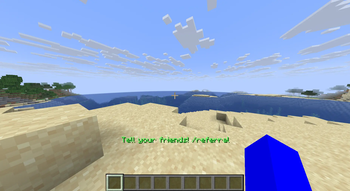
Inform your players with automated, customizable system messages that can be conditionally activated based on custom conditions using PlaceholderAPI. You can use the chat and the action bar to display messages.
Most of the configuration can be done by editing the plugin's config.yml, which is commented for ease of editing, however you can learn how to set up the SystemMessages on your server in more detail using the video that will be released shortly. Check back here soon.
bStats This plugin collects data on its usage using bStats, which is a common practice for plugins. However, you can opt out of this data collection by setting enabled to false in bStats/config.yml in the plugins folder.
- Edition: Minecraft Java
- File type: .jar
- Minecraft versions listed: 1.13, 1.13.1, 1.13.2
- How to install: Install the matching mod loader (Forge, Fabric or NeoForge) for your Minecraft version. → Download the .jar. → Put it in the .minecraft/mods folder and launch that loader profile.
- Where to get it: Opens on Modrinth — not every file is mirrored on our own servers.
Install steps are the general flow for this file type — How to install Minecraft Java mods & modpacks walks through it step by step.
- Ships as SystemMessages-1.0.0-all.jar — drop this file into the mods folder
- Download size: 3.3 MB
- Download link checked 22 Oct 2026 — working
These come from our own check of the pack file, not from the source page.