
Provide Pack Hashes
Java mod listed for Minecraft 1.21. Downloads from the MC Java Mods app on Android.
A plugin for automatic caching of server resourcepack's SHA1 hash. This allows you to not specify hash manually, while letting players join with…
⬇ Download on Modrinth



Remember Url Hashes
What It Does
This plugin helps your players avoid re-downloading server resource packs when you already have them.
Why Is This Plugin Needed?
- Vanilla Minecraft already tries to do this, but if the server doesn't have SHA1 hash manually specified in server.properties, the client downloads the pack every time
- The plugin stores the previous hash and other resource pack data (based on the url), so the server can send that hash to players
- If your pack url stays the same between updates, you can easily run a command to update the hash
- You can even set a new pack URL from console and automatically prepare its hash!
Commands
The plugin keeps track of your server resource pack's Id, URL and SHA-1 hash:
You can check that with /urlhashesstate:

Updating the hash or changing the URL
If you updated the pack's url, the plugin will update the hash automatically, because the URL changed.
But if your link is always the same, you can easily run a command to update the hash whenever you want:
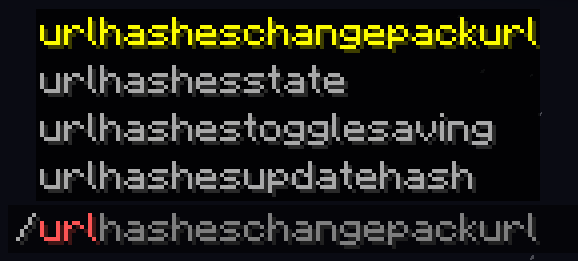
/urlHashesUpdateHashto update the SHA-1 hash
Or even tell the plugin to completely change the link to a new version and update the hash:
/urlHashesChangePackUrlto change the resource pack link and update hashes
Note: this command can only be executed from console by default for security reasons
Both will tell you that it started to download the pack to determine it's hash:

And everything will always be visible in your console too:

You can tell the plugin to save the data between restarts:
/urlhashestogglesavingto toggle data saving

So when the server restarts or reloads, it won't download the pack again:

Note, that with saving and the same link all the time, you'll need to run /urlHashesUpdateHash yourself. Again, only if your link stays the same between updates.
Config Options
You can edit plugin's settings in the config (plugins/config/ProvidePackHashes)
The only exclusive option there at the moment is whether you allow players (with permissions) to change the pack URL, or just console (by default).
Supported Environment
Paper servers (1.21 - 1.21.8)
Alternative approach
You can have the same behaviour on your client, if you play on a server with this issue and you aren't an administrator.
For this, use my Fabric client-side mod: Remember Url Hashes
- Edition: Minecraft Java
- File type: .jar
- Minecraft versions listed: 1.21, 1.21.1, 1.21.2
- How to install: Install the matching mod loader (Forge, Fabric or NeoForge) for your Minecraft version. → Download the .jar. → Put it in the .minecraft/mods folder and launch that loader profile.
- Where to get it: Opens on Modrinth — not every file is mirrored on our own servers.
Install steps are the general flow for this file type — How to install Minecraft Java mods & modpacks walks through it step by step.
- Ships as ProvidePackHashes-1.0.0.jar — drop this file into the mods folder
- Download size: 33 KB
- Download link checked 22 Oct 2026 — working
These come from our own check of the pack file, not from the source page.