

Muslim Steve — Prayer Reminder (Player Guide)
This plugin reminds you of daily prayer times in-game.
When a prayer time starts, the server broadcasts a short, clear message so you can pause and pray.
What you’ll see
- Broadcasts at: Fajr, Sunrise, Dhuhr, Asr, Maghrib, Isha, and the last third of the night.
- Messages are concise, no spam. Everyone online sees them.
Commands (for players with permission)
- /setlocation
Set the location used for prayer times.
Example: /setlocation 35.71432 4.1744

If you don’t know your coords, use latlong.net
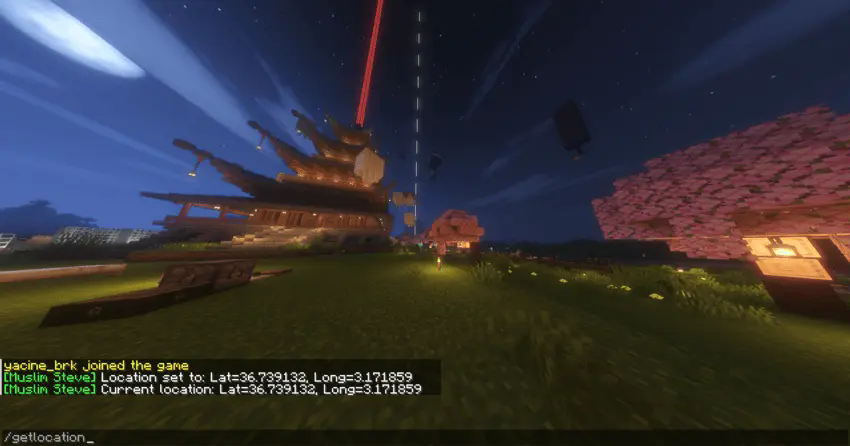
- /getlocation
Shows the currently saved location.
> If you don’t set a location, the plugin defaults to Mecca.
undefined
How it works (simple)
- The server fetches daily prayer times from a backend service.
- Times are scheduled for today (rolled to tomorrow if already passed).
- Schedules refresh automatically each day. If you change your location, schedules rebuild.
Quick Tips
- Set your location once and you’re set.
- If times look wrong:
1. Re-check your latitude/longitude.
2. Ask staff to confirm the backend is running.
3. Try `/getlocation` to confirm what’s stored.
- You’ll get **one** broadcast per prayer time—no duplicates.
FAQ
Q: Do I need anything installed?
A: No. Just join the server; the plugin handles the rest.
Q: Why is “Sunrise” shown?
A: It marks the end of Fajr time.
Q: Can I hide the messages?
A: Messages are server-wide. Ask staff if they offer muted/notification options.
Q: My prayer time passed and I didn’t see anything.
A: You must be online **at** the scheduled minute to see the broadcast. You won’t get retroactive messages.
Respect & Intention
This plugin is a reminder, not a replacement for intention.
When the broadcast shows, take a moment, log off if needed, and pray.
May it help you keep your prayers on time.
- Edition: Minecraft Java
- File type: .jar
- Minecraft versions listed: 1.21, 1.21.1, 1.21.2
- How to install: Install the matching mod loader (Forge, Fabric or NeoForge) for your Minecraft version. → Download the .jar. → Put it in the .minecraft/mods folder and launch that loader profile.
- Where to get it: Opens on Modrinth — not every file is mirrored on our own servers.
Install steps are the general flow for this file type — How to install Minecraft Java mods & modpacks walks through it step by step.
- Ships as Muslim Steve.jar — drop this file into the mods folder
- Download size: 1.8 MB
- Download link checked 11 Sept 2026 — working
These come from our own check of the pack file, not from the source page.